WeMemi
Features

Everything WeMemi does

Two ways to use it. Life keeps the moments that mattered, in order and shared with the people who were there. Mind keeps a private copy of the rest of your digital life, and answers when you ask. All of it on your own device.

Each section below is tagged with the minimum plan it needs: Freeon every plan ProPro, Pro Plus & Ultra UltraUltra only See full pricing

Why WeMemi

Your life deserves a home you own.

Your photos sit in one company's cloud, your messages in another's, your plans in a third. The AI you talk to every day forgets you the moment you close the tab. And any of those services can change the rules, raise the price or shut down. WeMemi keeps one private copy of all of it on your own device, in order, and answers when you ask.

The name says how

OPEN

Think of it as an open door that you hold the key to. Anything can come in from the apps you use, and it never goes out unless you open the door yourself.

MIND

Think of it as a second brain that never forgets. It lives on your computer. Ask it anything — "When did we last vacation at the lake?" or "What did my daughter mention as a gift idea?" — and it remembers for you, and only for you.

INDEX

Think of it as a filing cabinet that files itself. Every memory, date and document is put away as you live your life, so you never lose a moment you'd have wanted back.

family_restroom

Life: your story, kept

The people, places and moments that made you, dated and in order, and shareable with the people who were there.

lock

Yours, not rented

It lives on your computer, encrypted. There's no copy of it on our servers, so there's nothing for anyone else to lose, sell or switch off.

psychology

Mind: ask it anything

It answers from your own history, and the AI apps you already use, like Claude, Codex and Cursor, can finally know you too, each seeing only what you allow.

self_improvement

Nothing to maintain

Keep your apps and your habits. It gathers, files and tidies by itself, and asks before anything important is kept or shared.

auto_stories

The shared story

Life

Keep the trips, milestones and ordinary days that mattered. Share a moment with the people who were there, and they add their own photos and memories. A private Circle, not a social post.

LifeFree

The moments that made you, kept in order

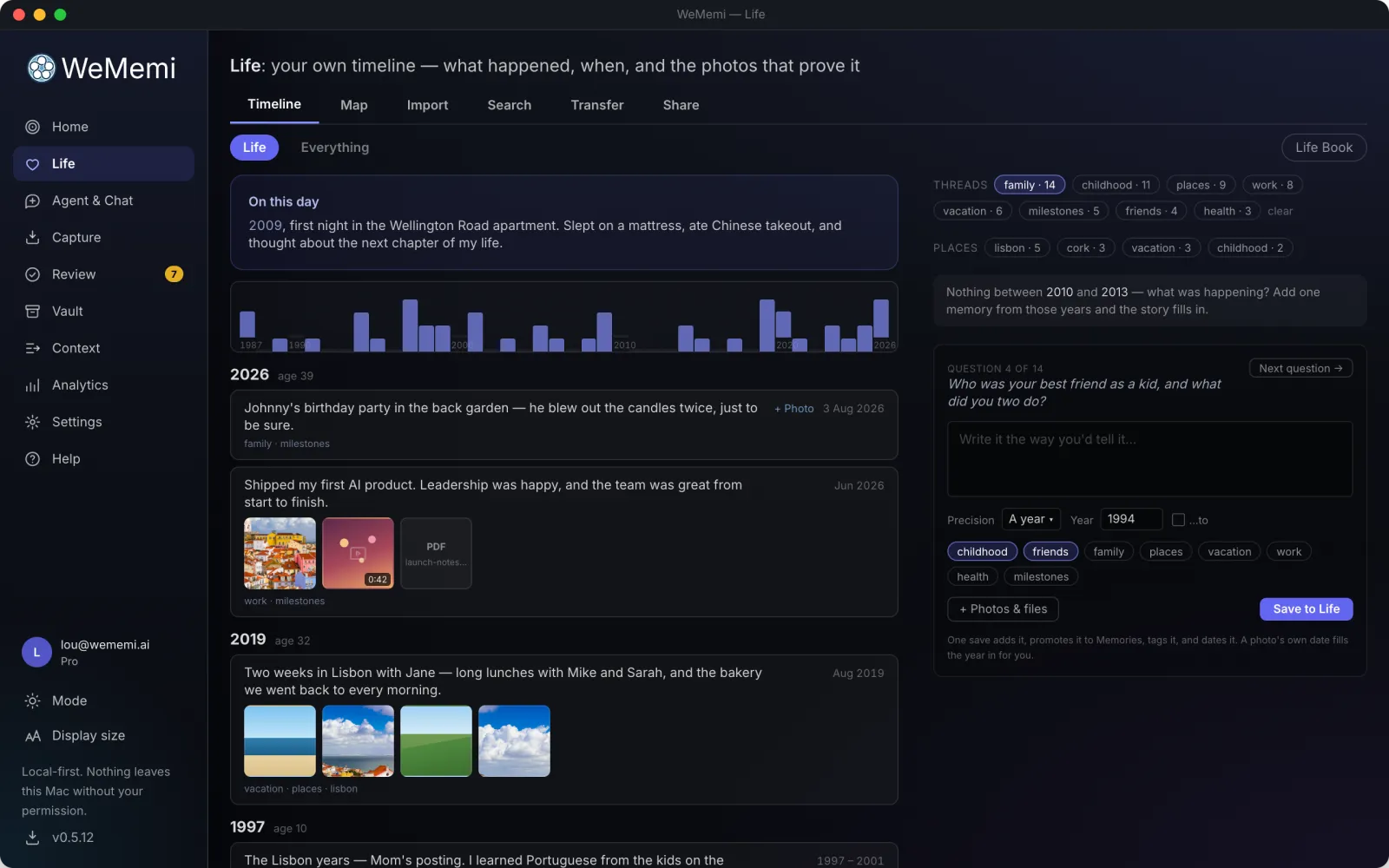
Mind works quietly in the background. Life is the part that's about you: where you grew up, the trip in '24, the job that changed everything, all written down, dated, and kept for good.

Click any event and the page becomes that one moment. Photos play in order with a filmstrip to jump around, video and voice notes play right there, and the date, the map, the people and the story sit alongside. Drop new files straight onto it, record a voice note or a clip from your camera, crop and trim what's there; the original always stays behind Restore.

Most of it isn't typed from scratch. Any email, note, photo, or captured moment becomes a life event in one action: Add to Life files it, tags it, and asks when it actually happened. And when you don't know where to start, it interviews you: one question at a time, and your answer is saved, dated, and filed in a single step.

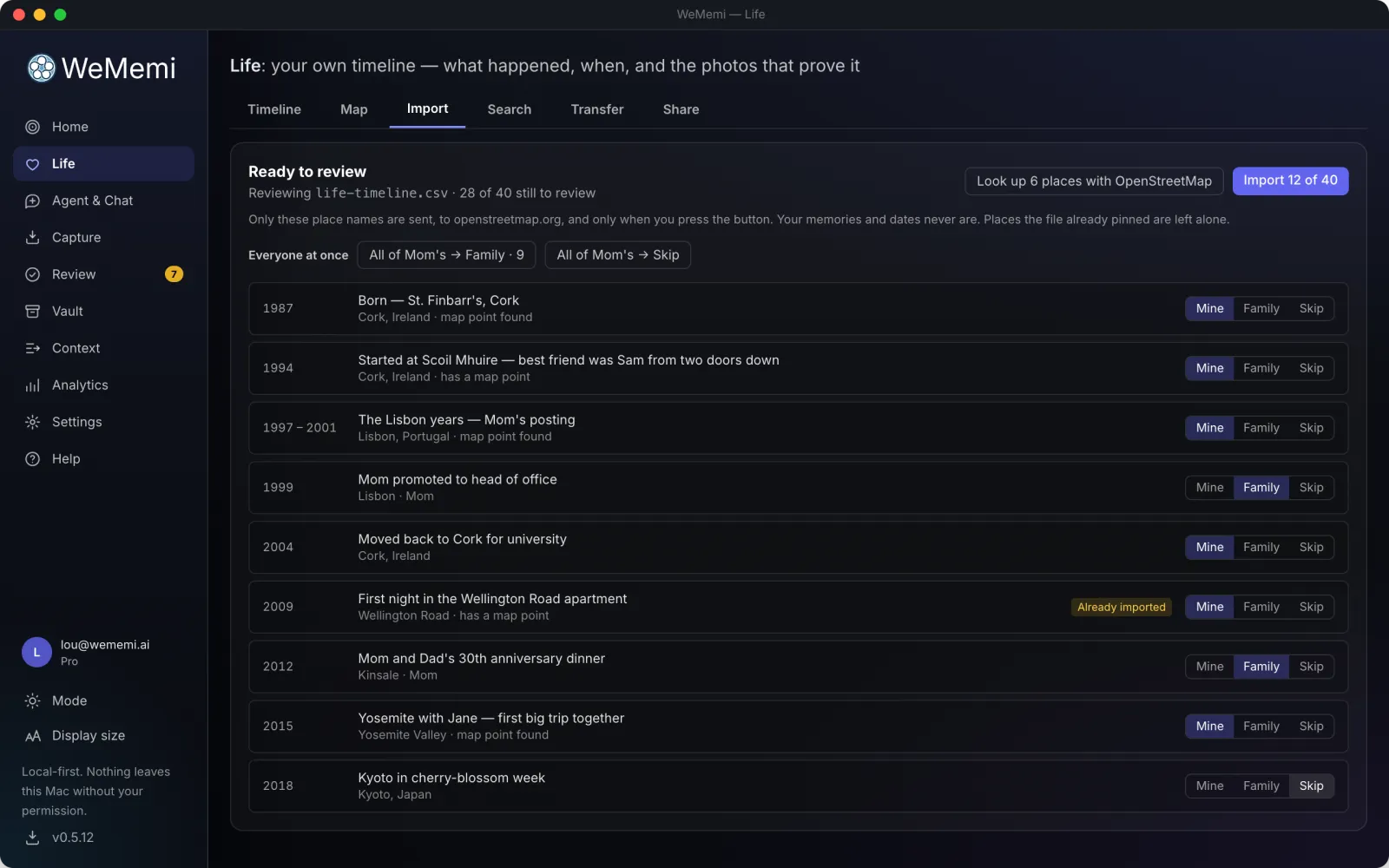
You don't have to start from scratch either. If you've already built a family tree on Ancestry, MyHeritage or FamilySearch, import it, and every person, date and place comes across, and dates that were always approximate stay approximate. Or bring a spreadsheet of events, using the starter sheet if you'd like one. Either way you review it first: tell it which person is you, and each row goes to your own timeline, your family's, or nowhere at all.

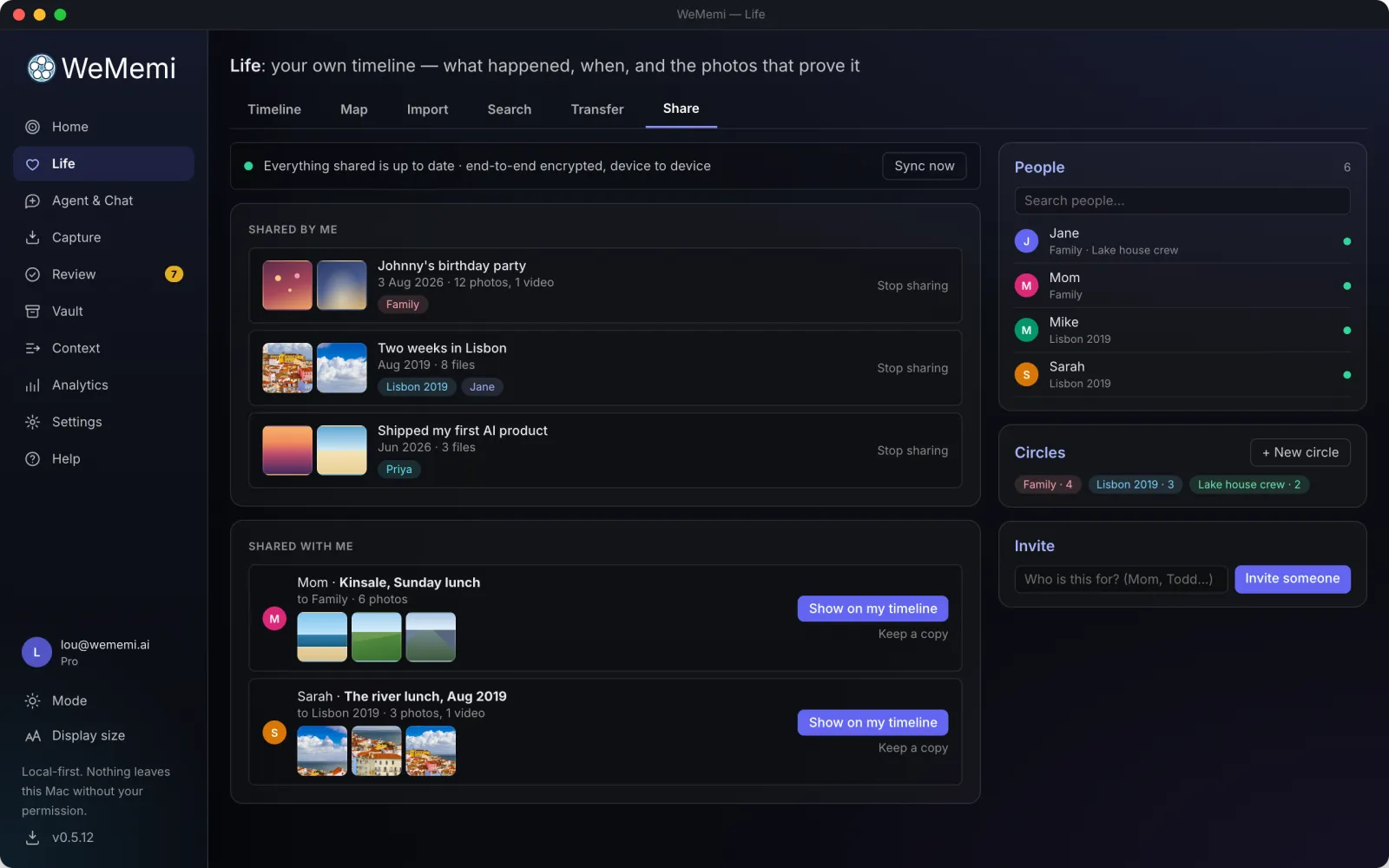
And you can share a moment with the people who were there: a private Circle, not a social post. It travels computer to computer, sealed with keys only your machines hold, and everyone on it adds their own photos, words and reactions to the thread underneath. Receiving and contributing are free forever.


wallpaperScreenshot goes herefeatures/moment.webp
  • checkMoment view: photos as a slideshow, video and voice notes playing in place, with the map, people and story alongside
  • checkEdit without losing anything: crop, rotate, draw and filter photos, trim video and audio; the original stays behind Restore
  • checkAdd on the spot: drop in files, record a voice note, record from your webcam, write the story underneath
  • checkShare a moment with the people who were there, and they add their own photos and words to the thread
  • checkImport a family tree from Ancestry, MyHeritage or FamilySearch, reviewed person by person, never dropped in wholesale
  • checkImport a spreadsheet of events, with a starter sheet to fill in, and one click to undo the whole import
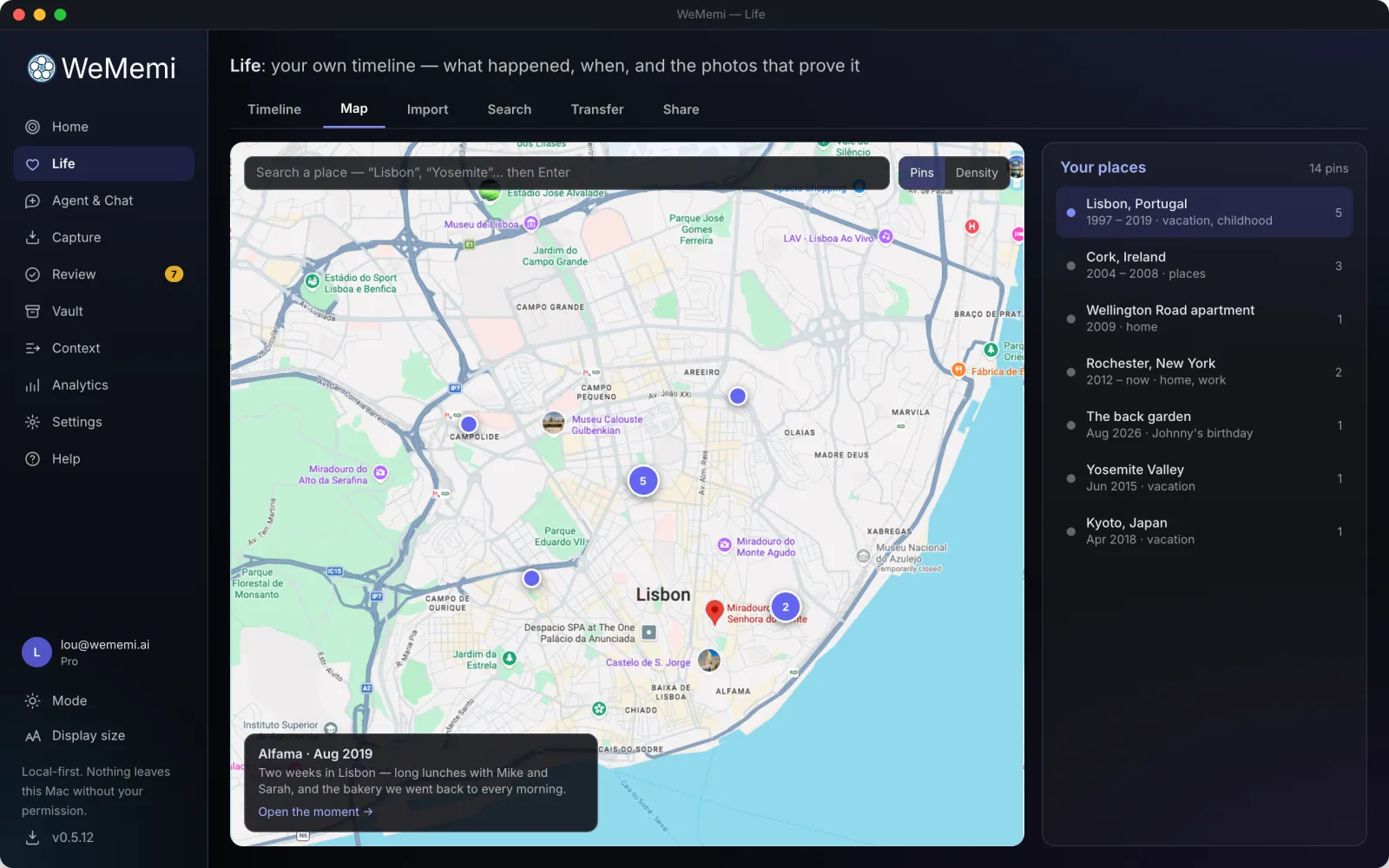
  • checkA map of everywhere you've been: clustered pins, a line through your life in order, and a heat view of where you spent it
  • checkThe map stays off until you turn it on, because it's the one part that reaches the internet, so it asks first
  • checkDates that tell the truth: "summer 1987" stays summer 1987, not the 1st of January. A trip lasts the days it lasted, a job the years you held it, a home every year you lived there
  • checkSpans, not just moments: a trip, a job, the years you lived somewhere
  • checkTurn any email, note, or captured moment into a life event in one action
  • checkIt asks, you answer, and the memory files itself
  • checkA Family lens for the people you've tagged, each with their own timeline, reaching back long before you were born
  • checkOn this day, plus an optional age lens that reads "age 7"; your birth date stays on your machine and is never sent to any AI
  • checkThreads by tag: family, friends, childhood, places, vacation, work, health, milestones
  • checkTwo lenses on one ribbon: your life, or everything the app has ever taken in
  • checkGaps invite filling, and undated memories collect in one place so you can date them
  • checkLife Book: your whole timeline laid out as a printable book, one chapter per year Ultra
The WeMemi Life timeline
Timeline
The Life map of everywhere you have been
Map
Sharing a moment with the people who were there
Share
Importing a family tree or spreadsheet into Life
Import
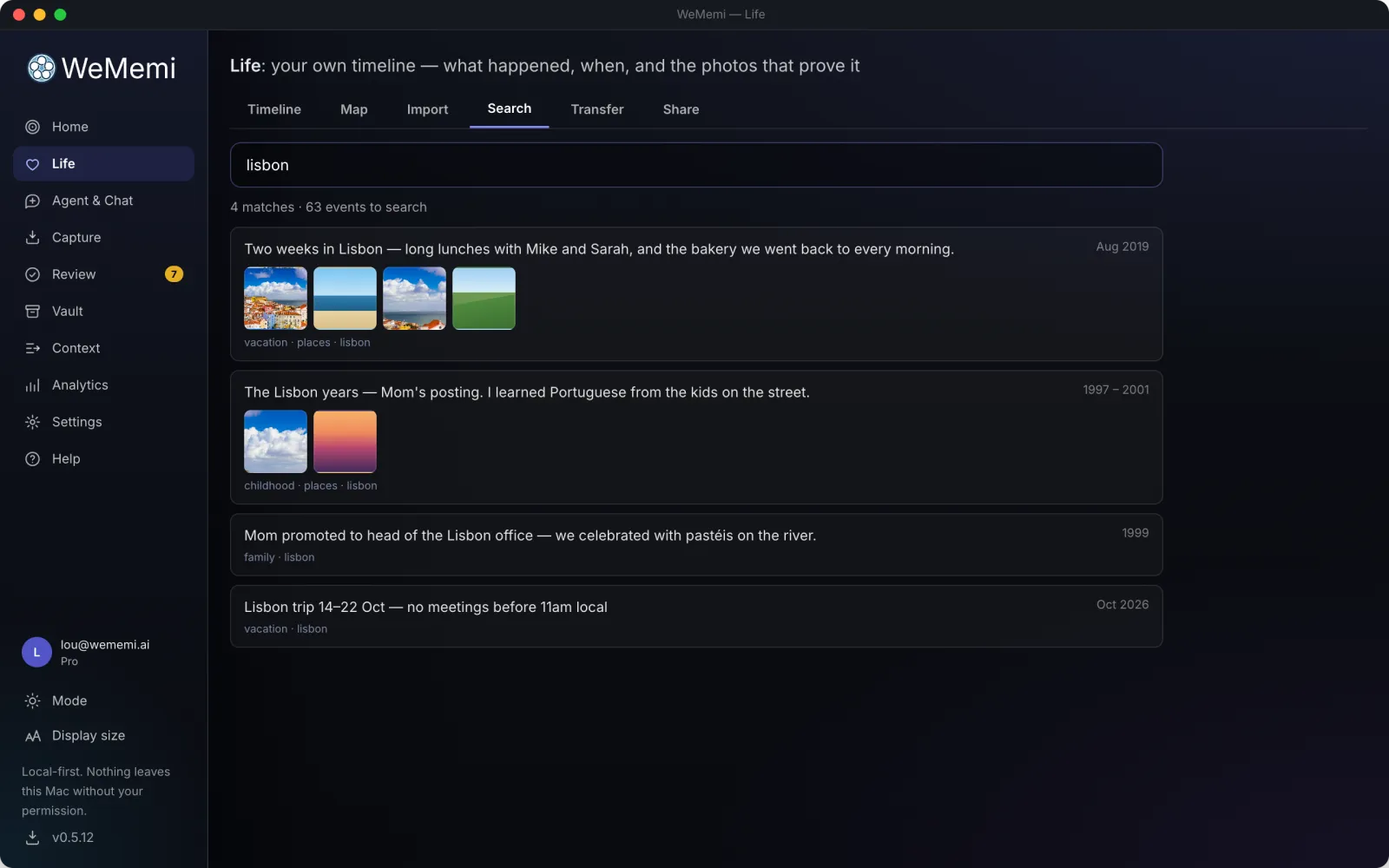
Searching your Life timeline
Search
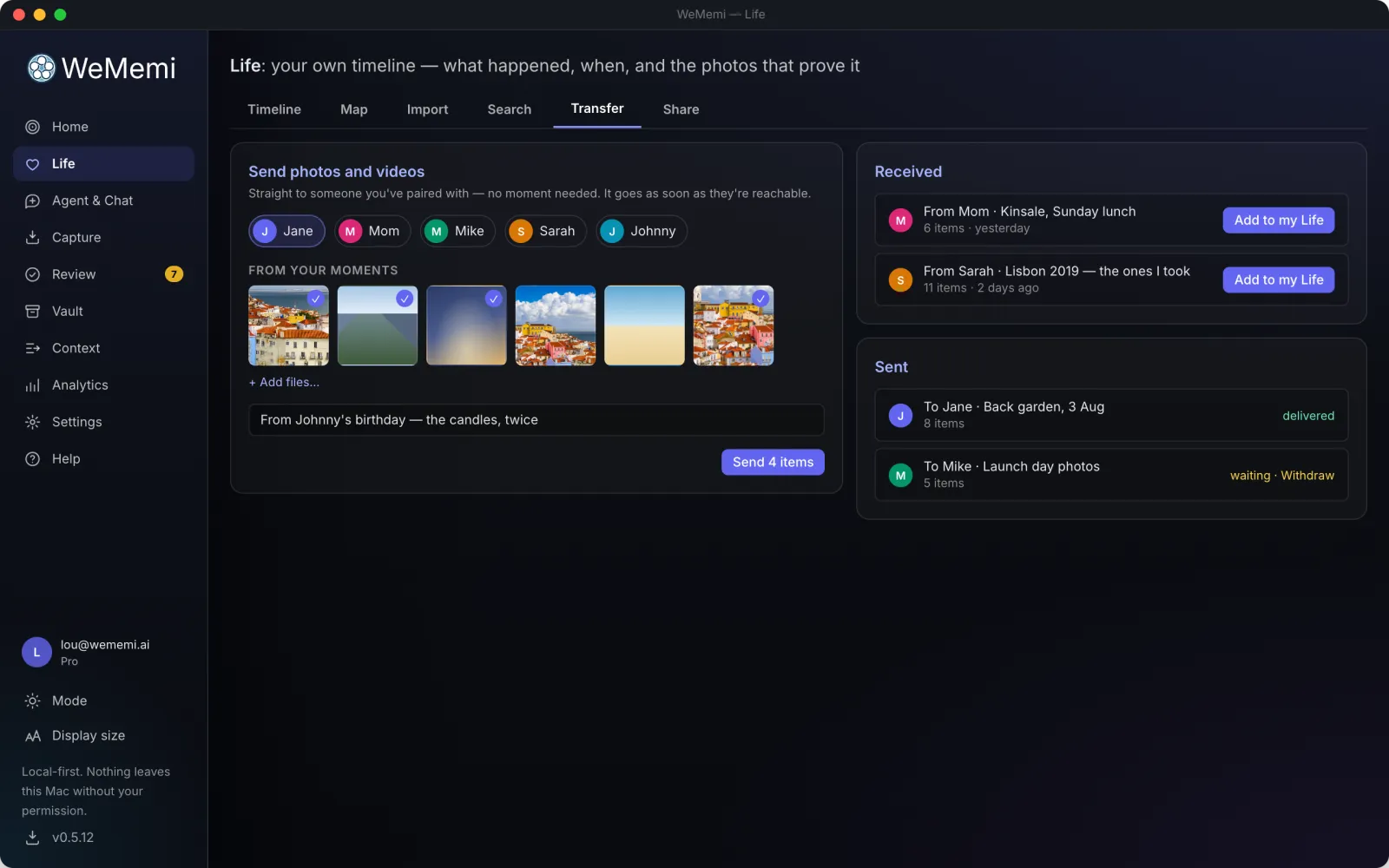
Transferring Life between devices
Transfer
psychology

The private vault

Mind

Connect your email, messaging, calendar, AI chats, photos and browsing. Your assistant quietly files the chaos into a searchable memory that remembers the details so you don't have to.

ConnectFree

Bring your whole digital life under one roof

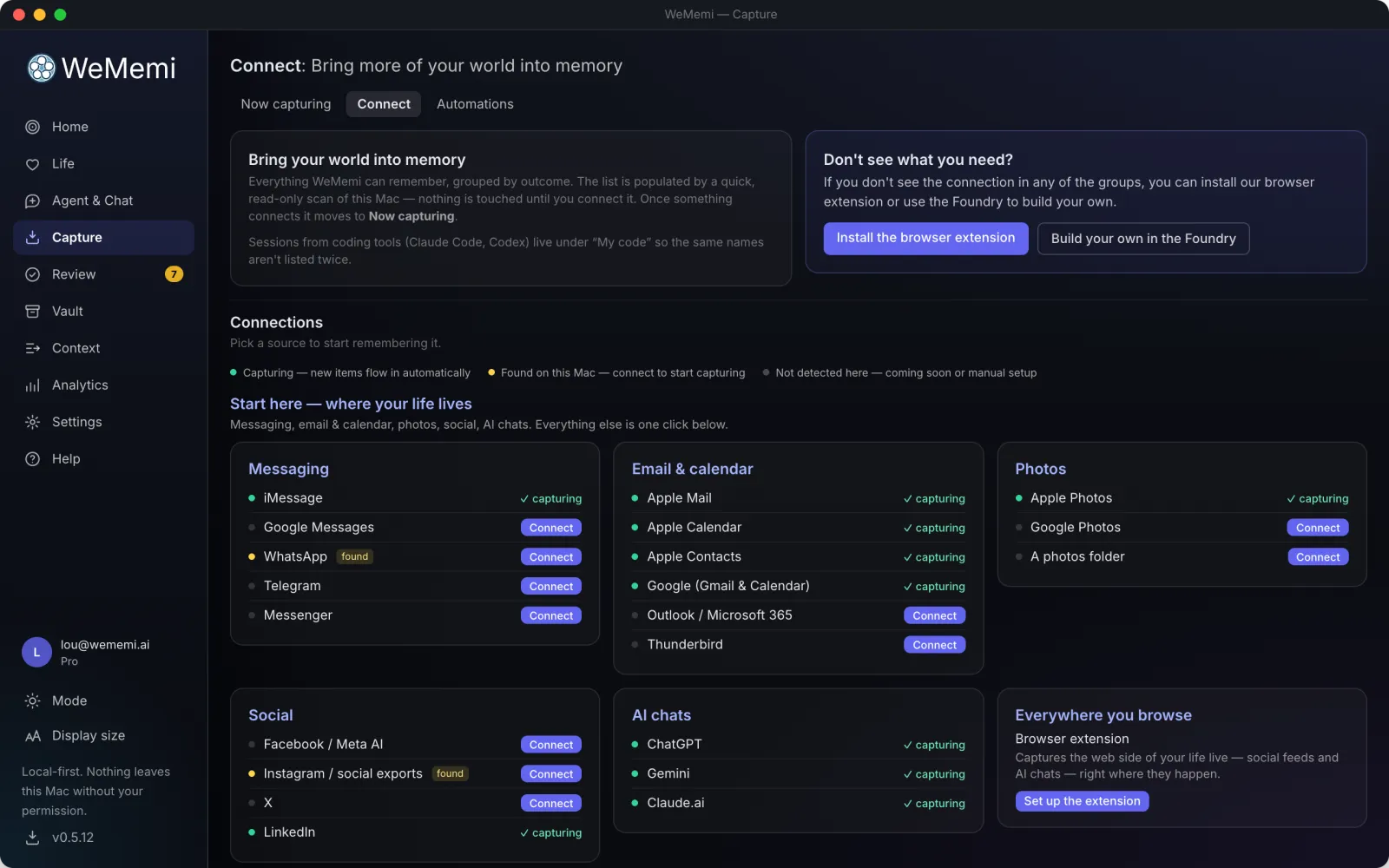
Your history is already written; it's just scattered across a dozen apps and accounts. Point WeMemi at the places it lives and it pulls your own data into your private memory. Everything is opt-in, one source at a time, and you see what a source would bring in before it brings anything.

There are six ways in, and the source decides which one it uses:

  • check
    Already on this computer: your mail, notes, photos, calendar, contacts, messages and browser history are read straight off the disk. No account, no upload.

    On a Mac: Messages, Notes, Apple Mail and Photos.

    On Windows: Outlook, Sticky Notes and Edge history.

  • checkSign in: one-click for Google (Gmail, Calendar) and Linear, with the permissions shown before you grant them.
  • checkPaste an API key: Notion, Jira, GitHub, GitLab, Fathom, Fireflies, Todoist and hundreds more then sync on their own.
  • checkWatch a folder: iCloud Drive, a notes vault, wherever meeting transcripts land. Anything new that appears gets read.
  • checkDrop in an export: ChatGPT, WhatsApp, Instagram, Amazon, Google Takeout and more will hand you your own data if you ask; the file becomes yours to search. Turn on auto-fetch and it goes and collects them for you.
  • checkBrowser extension: Chrome, Firefox and Edge, for the places that offer no export at all.

Your AI conversations come in too, from Claude, ChatGPT, Gemini and more, so the thinking you've already done doesn't stay locked inside whichever app you did it in. And every row tells you the truth about itself: green means it's genuinely connected and reporting in, not just configured.

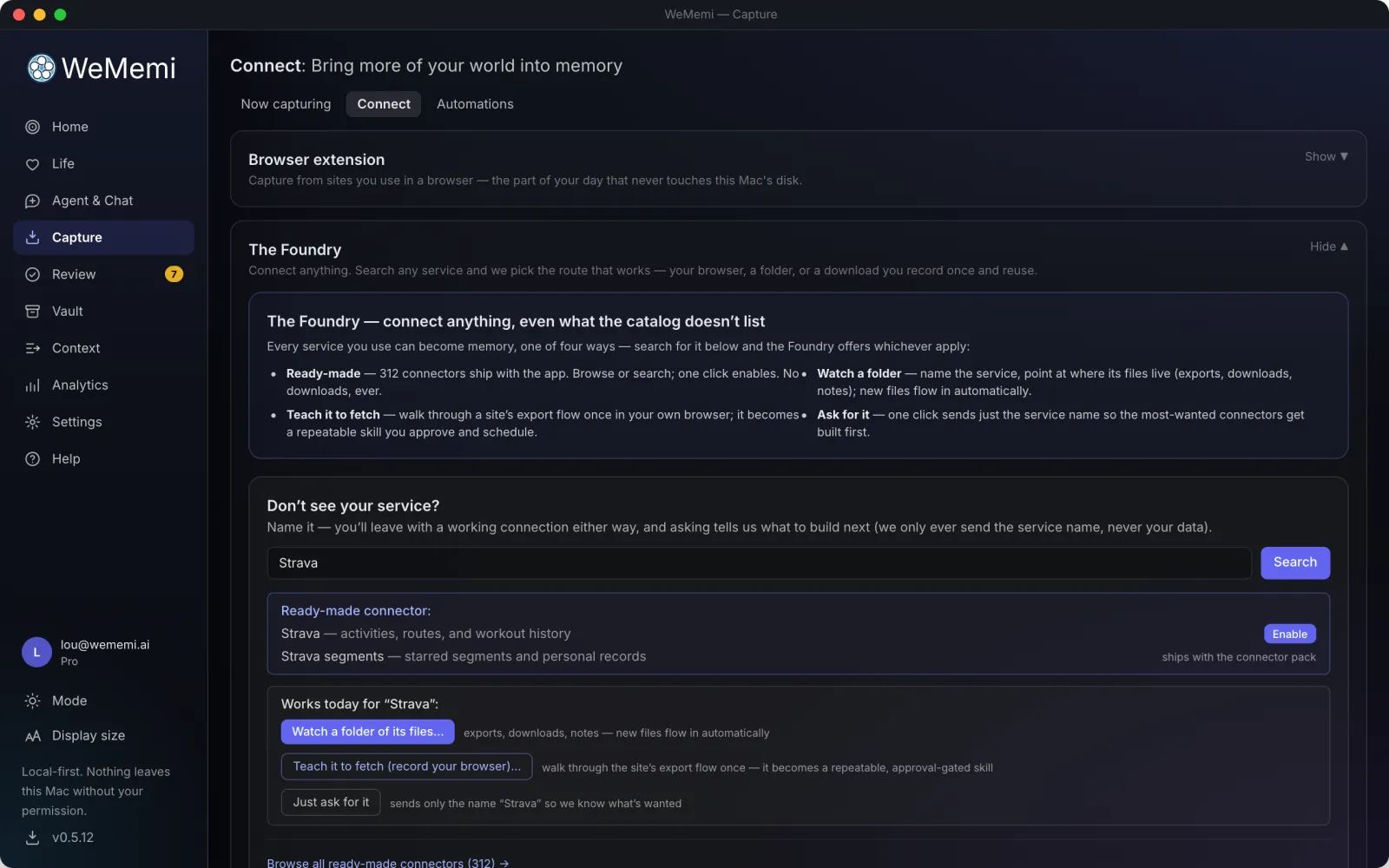
searchNot listed? The Foundry has 700+ more.

At the bottom of Connect sits one A-to-Z list of over seven hundred services. Each line says what connecting involves, and before anything is saved you see exactly what would sync and which sites it may talk to.

  • checkSelf-hosted services (a company GitLab, your own subdomain) ask for your address and stay locked to it
  • checkPaste a recipe someone shared, or record a download once to turn it into a scheduled fetch
  • checkNothing matches? The browser extension, a recorded fetch or a watched folder always works, and you can request what's missing
The Foundry: one A-to-Z list of 700+ services
wallpaperScreenshot goes herefeatures/connections.webp

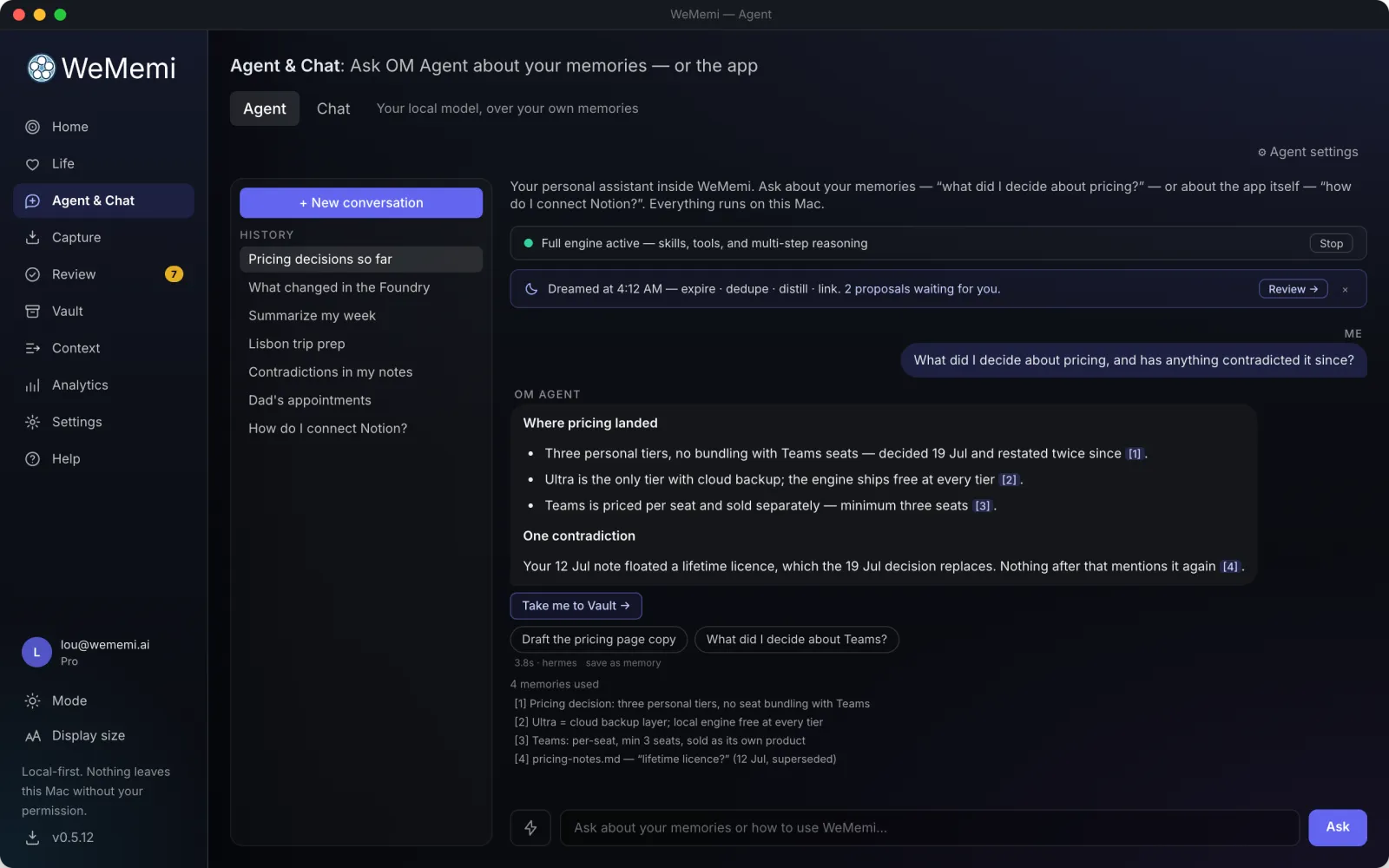
Agent & ChatFree

Ask your own life anything

A private assistant that answers from your own archive: "when was that trip with the family in '24?", "what did I decide about the kitchen?", "summarize my week", all running on your machine, not in someone's cloud.

An example

When did we last take the kids to the lake?

auto_awesome

The weekend of July 12, 2025, at the cabin on Lake George.1 You drove up Friday night and stayed two nights2, and the kids went out on the kayaks on Saturday.3

1photo_library14 photos, Jul 12 2mailCabin booking email 3auto_storiesLife: "Lake weekend"

Every answer cites its sources: tap a marker to see exactly which memories it used, and promote any of them to long-term memory from right there. Answers can also act: jump you to the right page in the app, or save themselves as a memory at a tier you pick.

  • checkQuick-ask from any screen, and a morning brief to start your day
  • checkThink harder on one question, or power up the full engine for a whole conversation; the badge says which answered
  • checkAn overnight brief after a dreaming pass, with anything worth a look
  • checkConversations are saved, renamable, and never leave this device
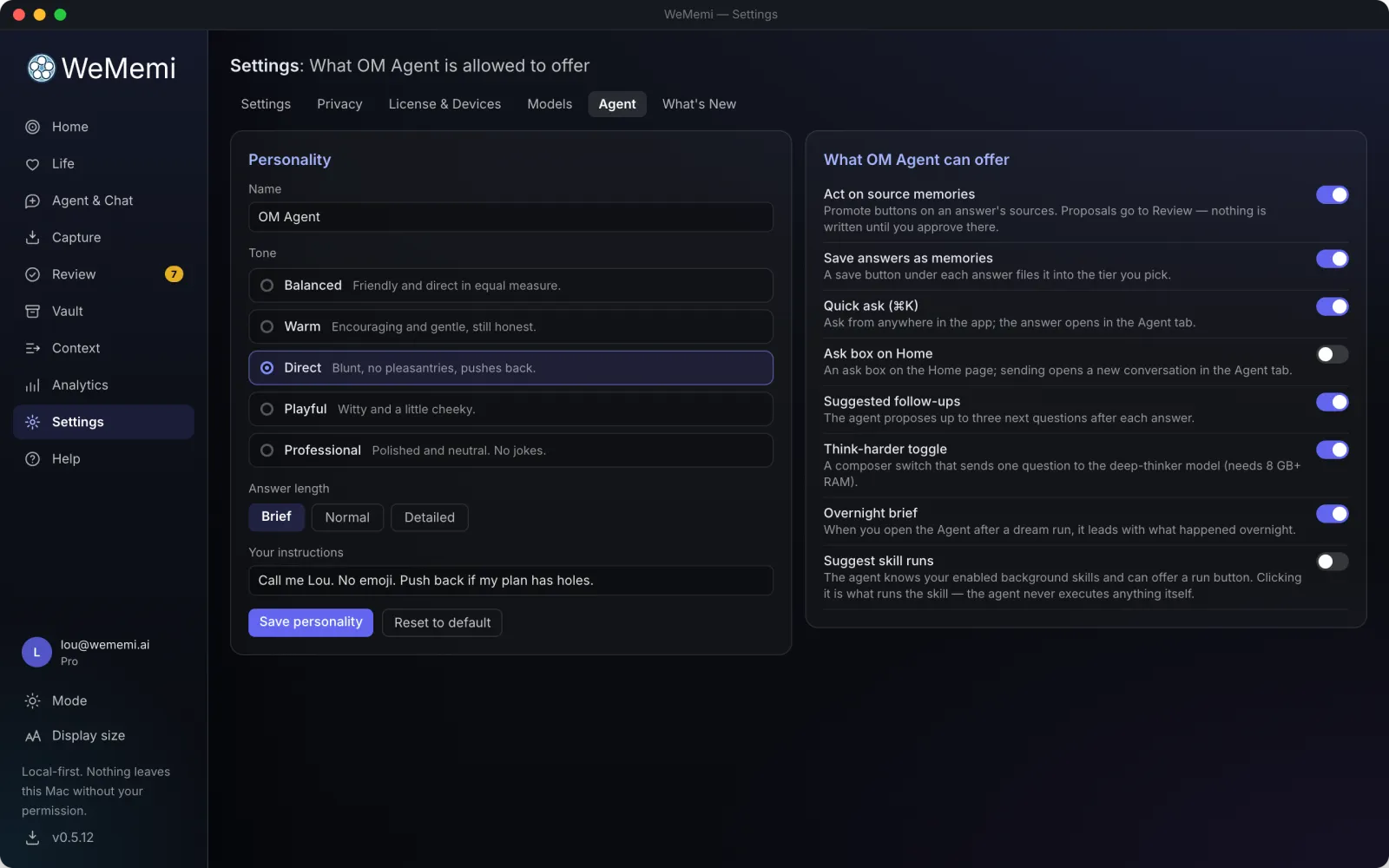
  • checkEvery behavior above has its own switch in Settings, including turning the whole thing off

Anything that runs on its own, from export fetchers to skills you recorded to the app's background rhythms, lives together under Automations, not here.

wallpaperScreenshot goes herefeatures/agent.webp

ChatFreeMac & Windows

The biggest AI models, on your terms

Sometimes you want the biggest model there is. Chat is the second tab on the Agent & Chat page and talks to OpenAI, Anthropic, Google Gemini and xAI Grok on an API key you bring. They bill you directly, at their own prices, and nothing you type passes through our servers on the way.

It is kept apart from everything else. Chat can't read your memory: it is given only the memories you pick, one chat at a time. And your local Agent never uses these models.

An example

What you typed

Write to Sarah Patel (sarah.patel@example.com) and ask to move Thursday's appointment.

What the provider received

Write to [NAME_1] ([EMAIL_1]) and ask to move Thursday's appointment.

The reply comes back with the real name and address put back in, on your computer.
wallpaperScreenshot goes herefeatures/chat.webp

Four ways to ask

chat

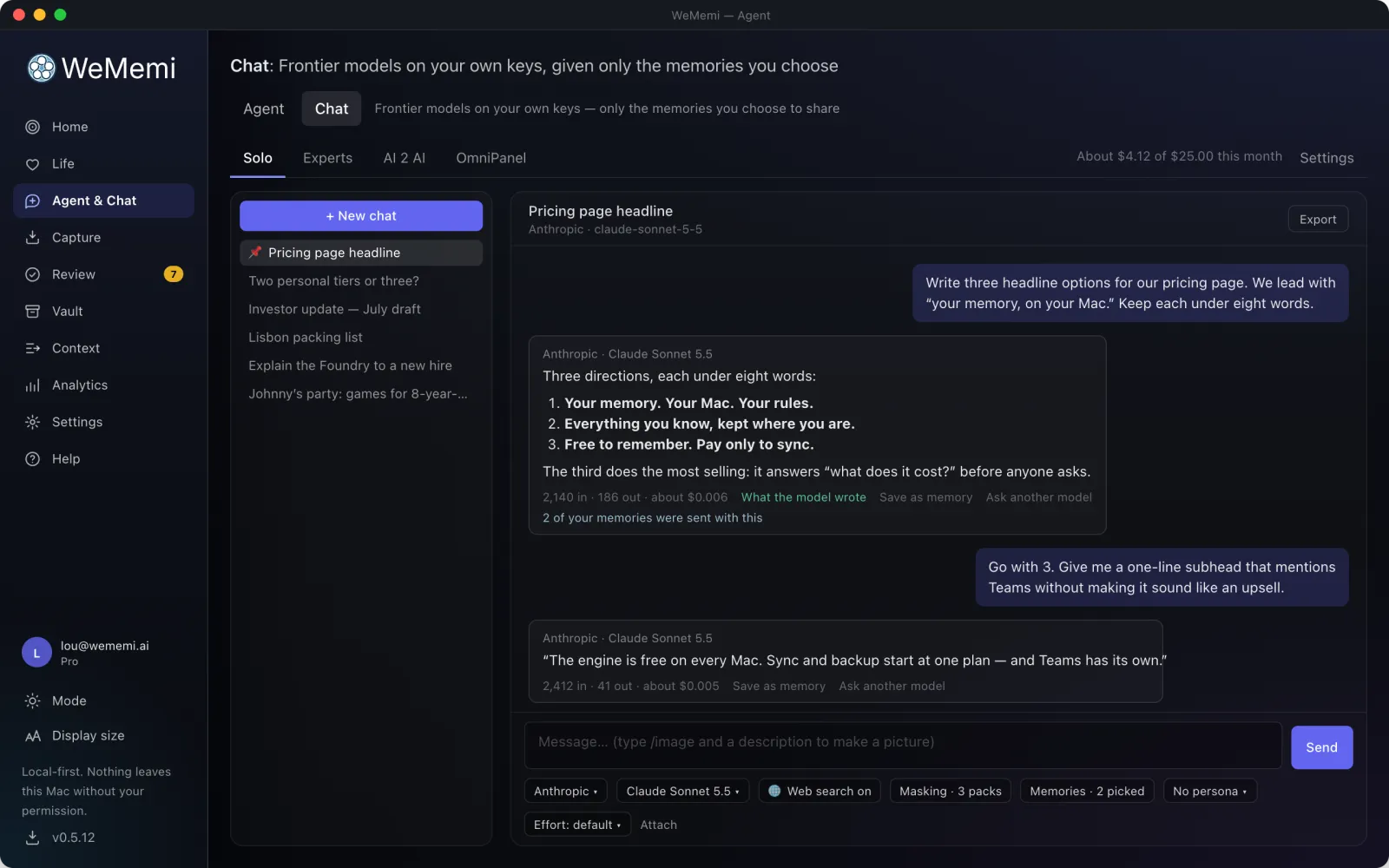
Solo

One chat, one model. Give it a persona (31 come built in, or write your own), tell it to answer fast or be thorough, and drop in prompts you've saved.

groups

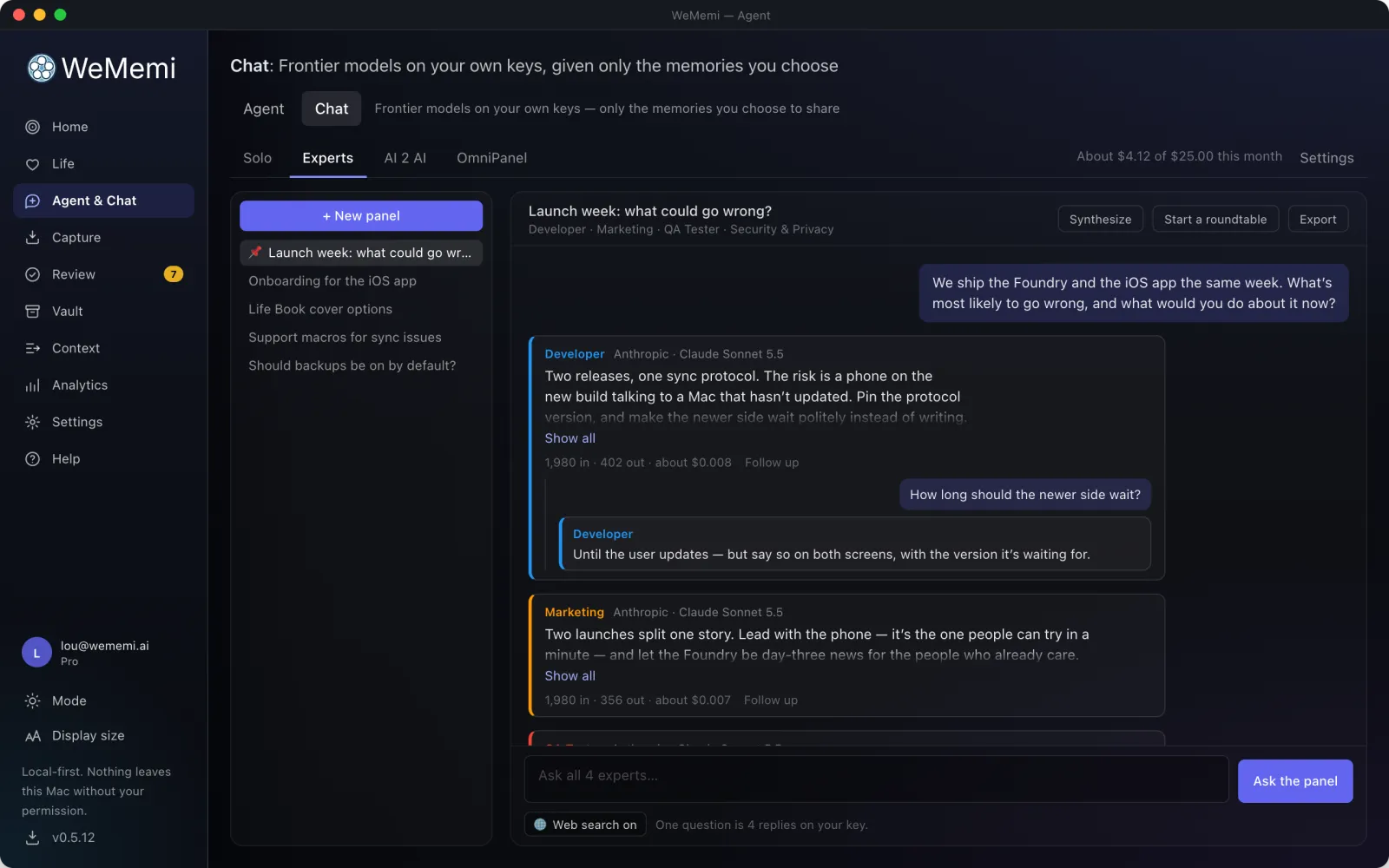
Experts

Put one question to a panel of up to 16 specialists at once: a designer, a developer, a financial analyst, or experts you write yourself. Follow up with any one of them, pull the answers together, or start a roundtable.

forum

AI 2 AI

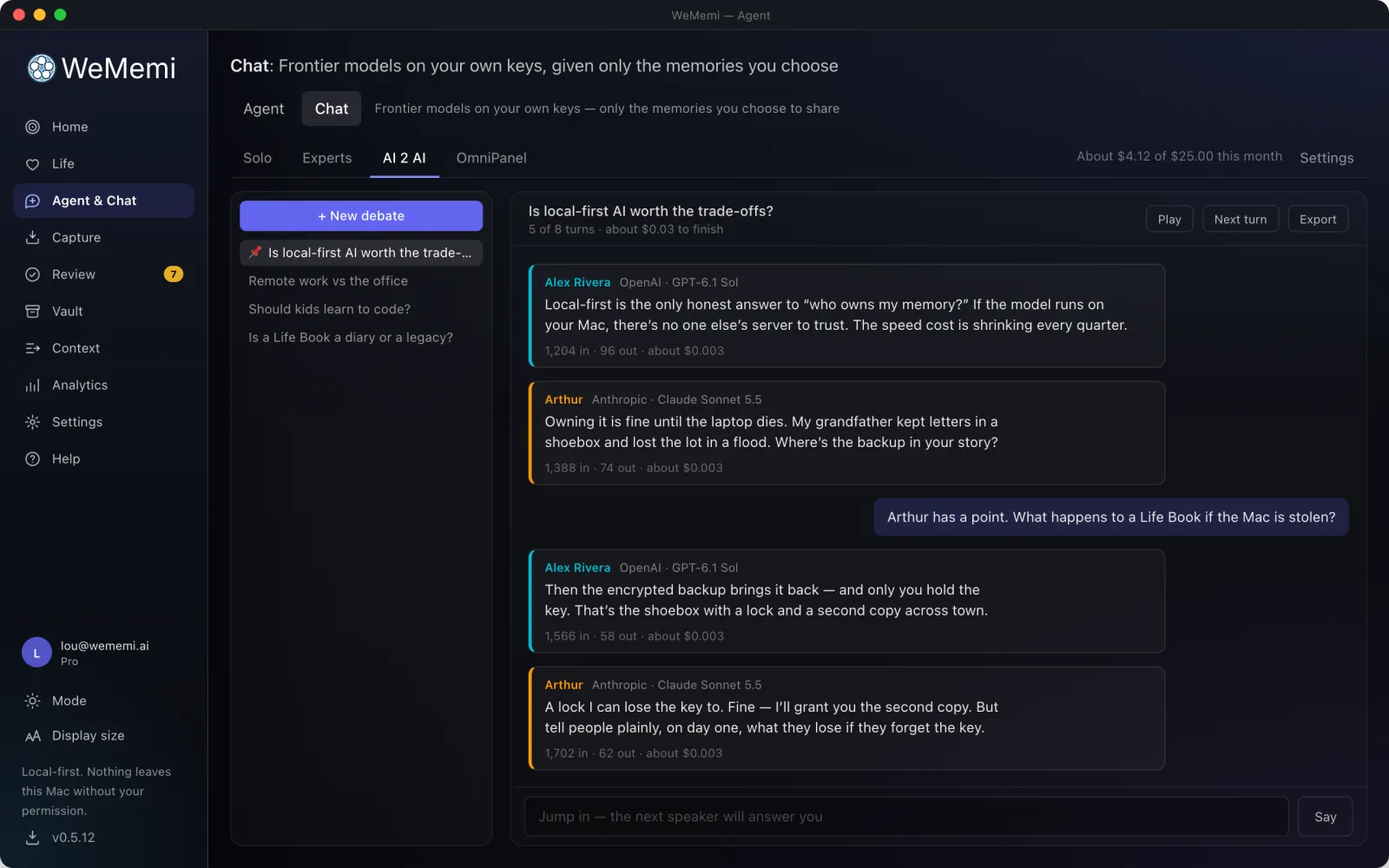
Two to five personas, each on a model you choose, debate a topic in rounds. Press Play or go a turn at a time, jump in whenever you like, then have it brought together.
gavel

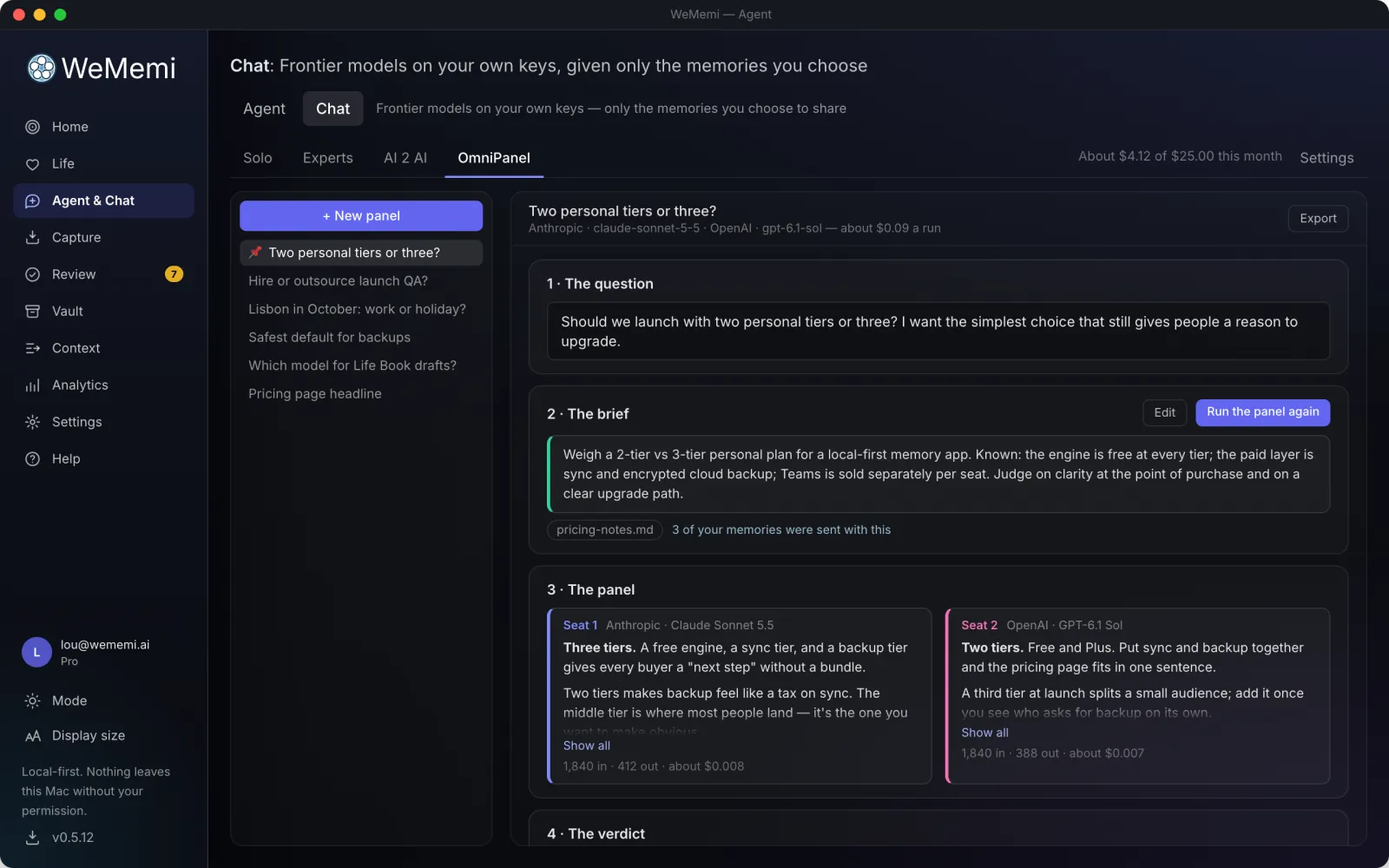
OmniPanel

A judge drafts a brief you can edit, two to four different models answer it side by side, and the judge gives a verdict: where they agreed, and where they didn't.
Chat in Solo mode
Solo
Chat in Experts mode
Experts
Chat in AI 2 AI mode
AI 2 AI

Private before it leaves

A model company is somebody else's computer. So Chat is built around what reaches it, and it shows you.

domino_mask

Personal details are masked

Names, email addresses and other details are swapped for placeholders before a message leaves, and swapped back in the reply. Rule packs for general, legal, finance, medical and technical work decide what counts; you can write your own, add words to always mask, and the people tagged in your memories are masked by name.

visibility

See exactly what will be sent

One click shows the exact text before it goes: how many details are replaced and which memories ride along. Asking about a public figure? Send that one name as it is, for that one message. Afterward, every message still shows what the provider received.

psychology

Your memories, only if you say so

Chat sees none of your memories to begin with. You pick the ones it may be given, then switch them on chat by chat and choose which go with each. They are masked like everything else, and the model cannot ask for more than you picked.

block

Gmail and Calendar are never sent

Anything that came from your Gmail or Google Calendar never goes to a model provider. No setting changes that, and switching masking off doesn't either. Passwords and keys are always removed too.

travel_explore

Links that can't lead you astray

A model can be talked into citing a bad page. So a source, or a link in a reply, opens a Google search for its title, never the address the model gave. You can also list sites to keep out of results altogether.

receipt_long

Every call, on the record

Nothing goes to a provider until you've saved its key and ticked a box to approve it. After that, a running list shows every call Chat made: when, to whom, how many tokens, and what kinds of detail were masked. Your key is sealed in your computer's keystore and never shown again.

And everything you'd expect from a chat app

  • checkWeb search: run by the provider on your key, with its own switch in every chat and the sources folded under the reply
  • checkAttach files: text, Markdown, CSV, JSON, PDF or Word, up to ten to a message. The text is read on your computer, masked and sent as text; the file itself is never uploaded
  • checkPictures, both ways: ask about a photo (Chat checks with you first, because a picture can't be masked), or type /image to make one
  • checkA second opinion: send the same question to another model to compare, regenerate an answer, or edit a message and resend it
  • checkSave to memory: a good answer, or just the part you select, goes to Review like any other suggestion
  • checkQuick Chat: one shortcut from any screen, one question, answered in place
  • checkA Model guide: five recommended models per provider, with what each is good for, how fast it is and what it costs
  • checkOne key for many companies: an OpenRouter key works too, and Chat asks it to use only hosts that don't keep or train on your prompts
  • checkThe bill in plain sight: tokens and estimated cost under every reply, a Usage page per model and per month, and a monthly budget that stops Chat when you reach it
  • checkFind it again: search what was said, pin and rename chats, and export any of them as a Markdown file
  • checkHistory that stays yours: chats are saved encrypted on your computer, with a copy in your Mind so you and the Agent can find them later. One switch turns the copy off
  • checkDelete means delete: remove one chat or all of them, and the copies in your Mind go with them

Chat itself is free. What a provider charges for your key is between you and them, and an API account is separate from a subscription to that provider's own chat app. Chat is on the Mac and Windows apps for now; the phone apps don't have it yet.

HomeFree

Everything you've built, at a glance

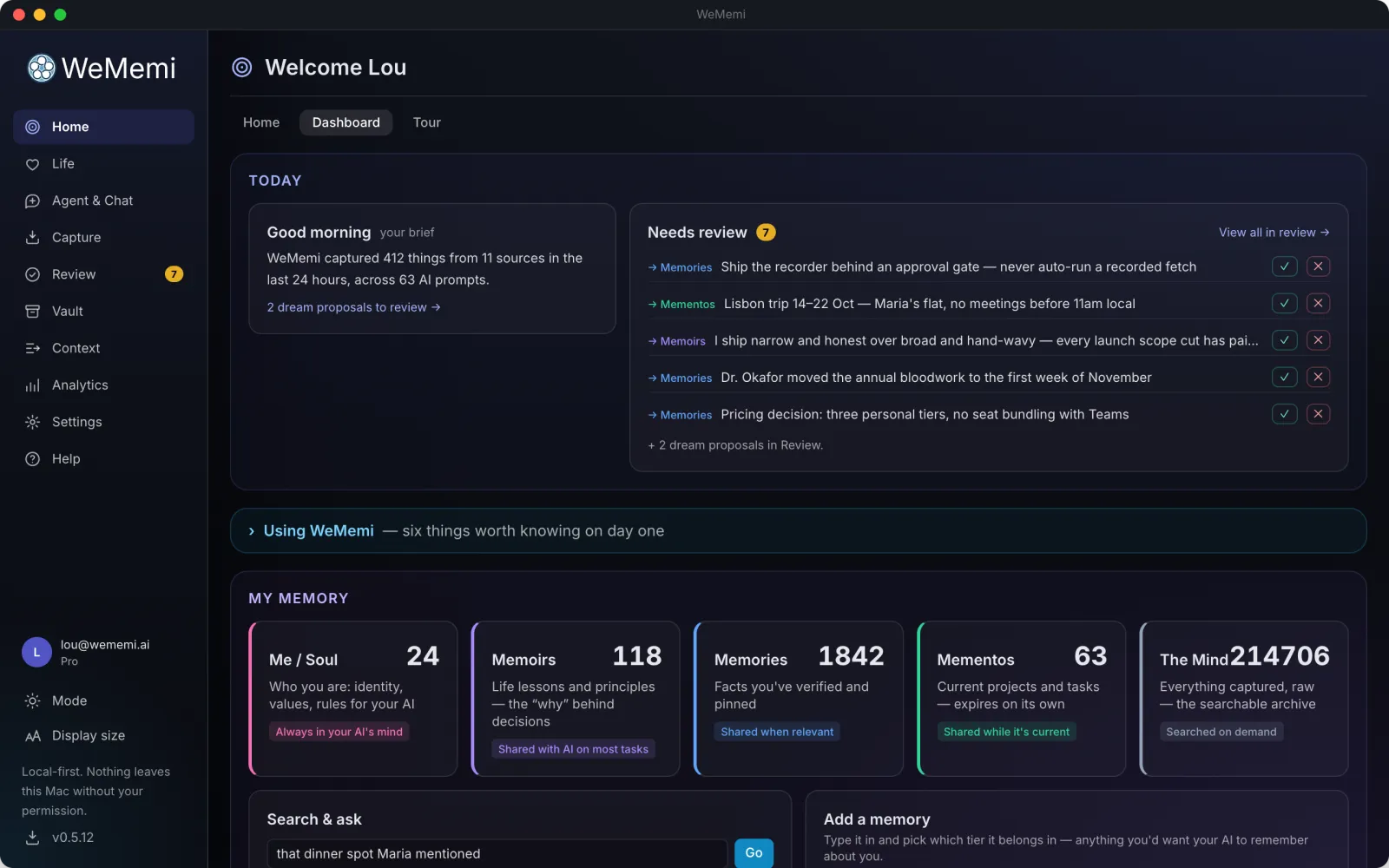
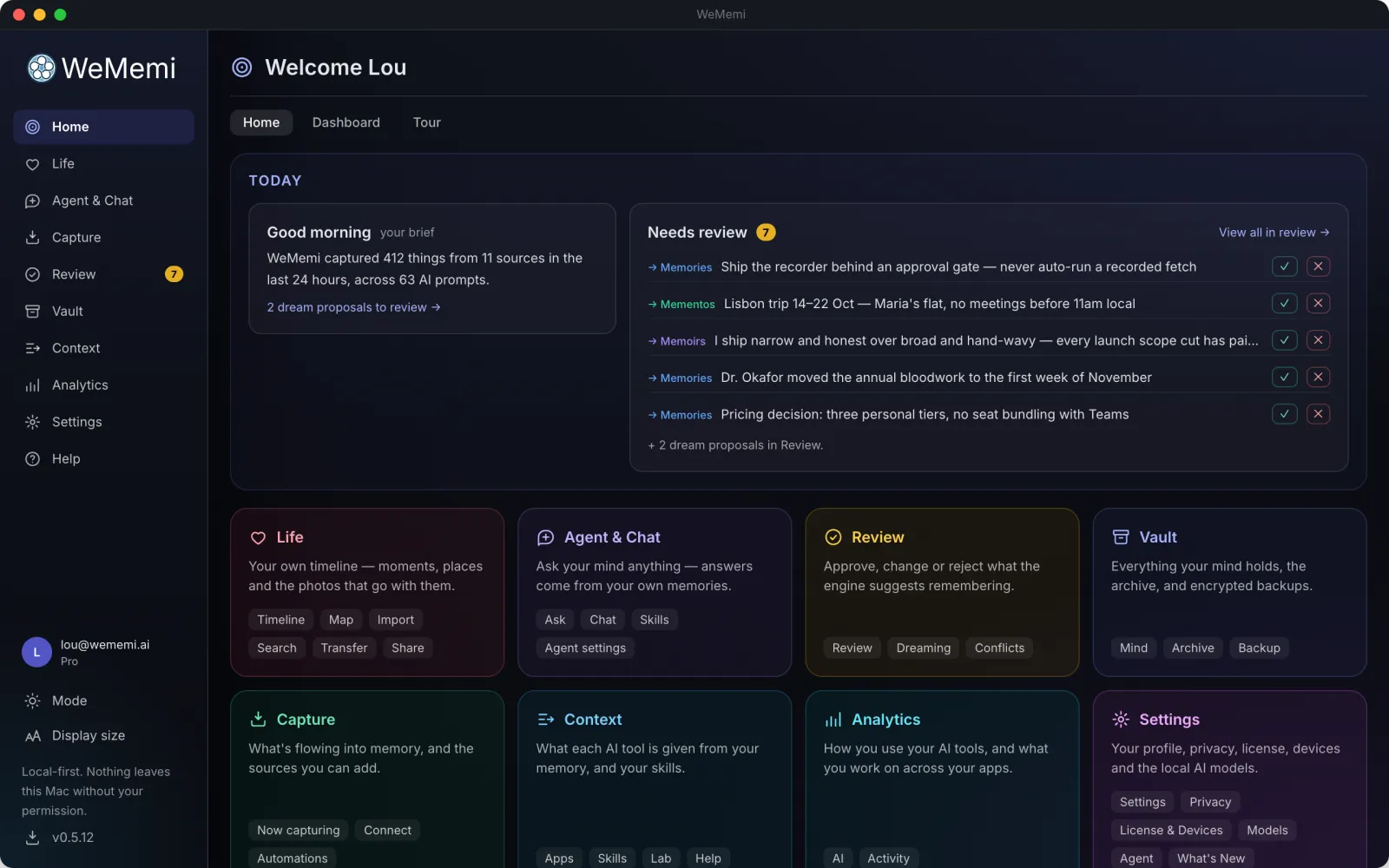
Open WeMemi and land on a living map of your memory: what it knows, what it's doing right now, and gentle prompts you can wave off with a thumb.

  • checkA colorful, explorable map of how your facts and projects connect
  • checkA live stream of what's being captured and organized
  • checkOne-tap approve / dismiss nudges, with no review session required
wallpaperScreenshot goes herefeatures/home.webp
The WeMemi Home tab
Home
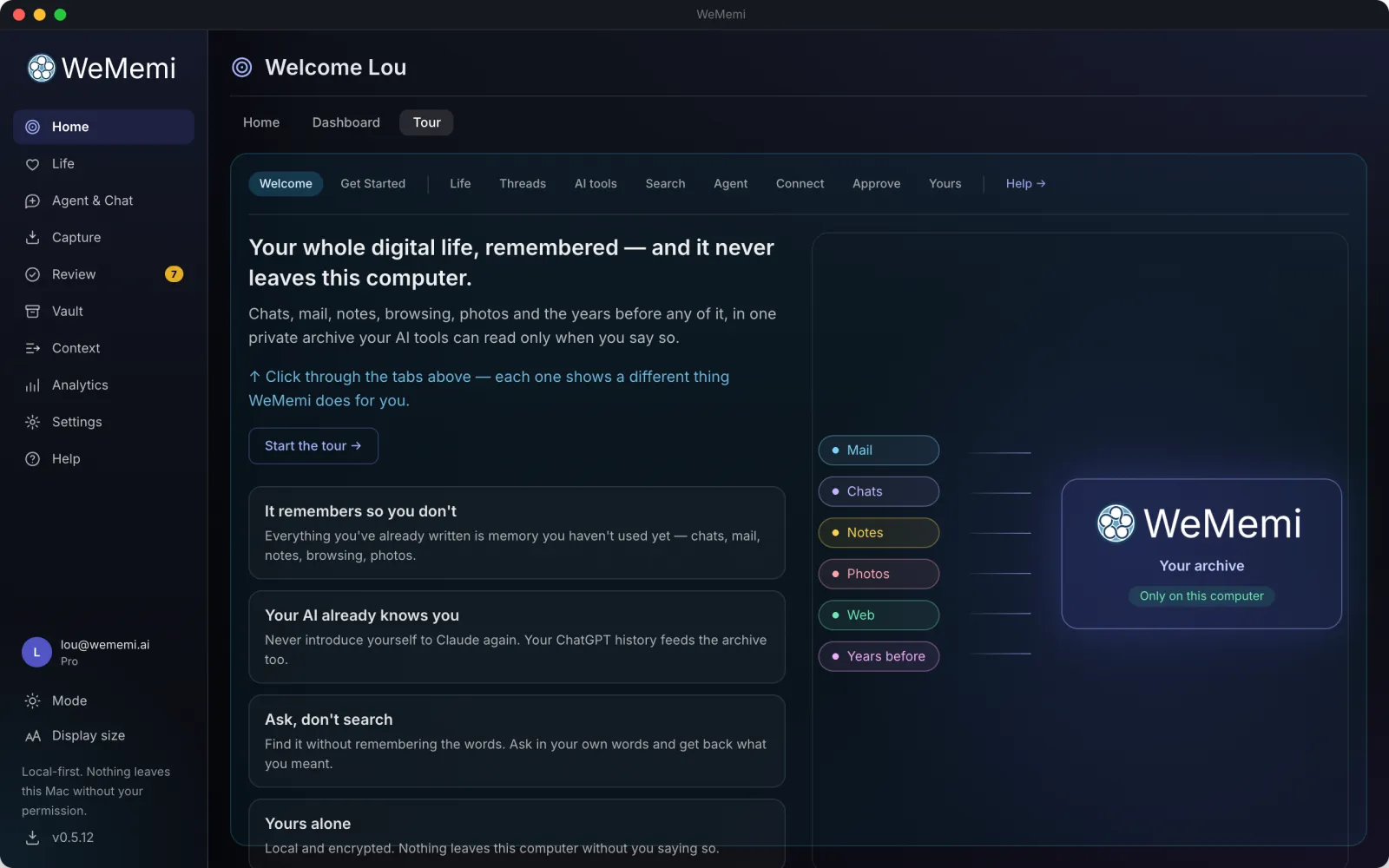
The WeMemi Tour
Tour

My MemoryFree

Your memory, in five levels

Not one big pile. WeMemi keeps what matters in five layers, from the core of who you are down to the raw record of everything, so the most important things always come first, and every AI you use gets the right context without drowning in the rest.

1

Me

Highest priority

Your permanent identity, values, boundaries, and the standing rules you want every AI to follow.

2

Memoirs

The distilled "why" behind your choices: the narrative threads that keep AI aligned with who you actually are.

3

Memories

The facts you've chosen to keep: verified, explicit, and yours for the long term.

4

Mementos

Auto-expires

Temporary context for what you're working on now (a trip, a two-week project) that clears itself when it's done.

5

Mind

Where everything lands

Everything collected, in one place, built for deep "find the needle" search. Ask it anything, and promote what matters up a level or into Life.

inventory_2

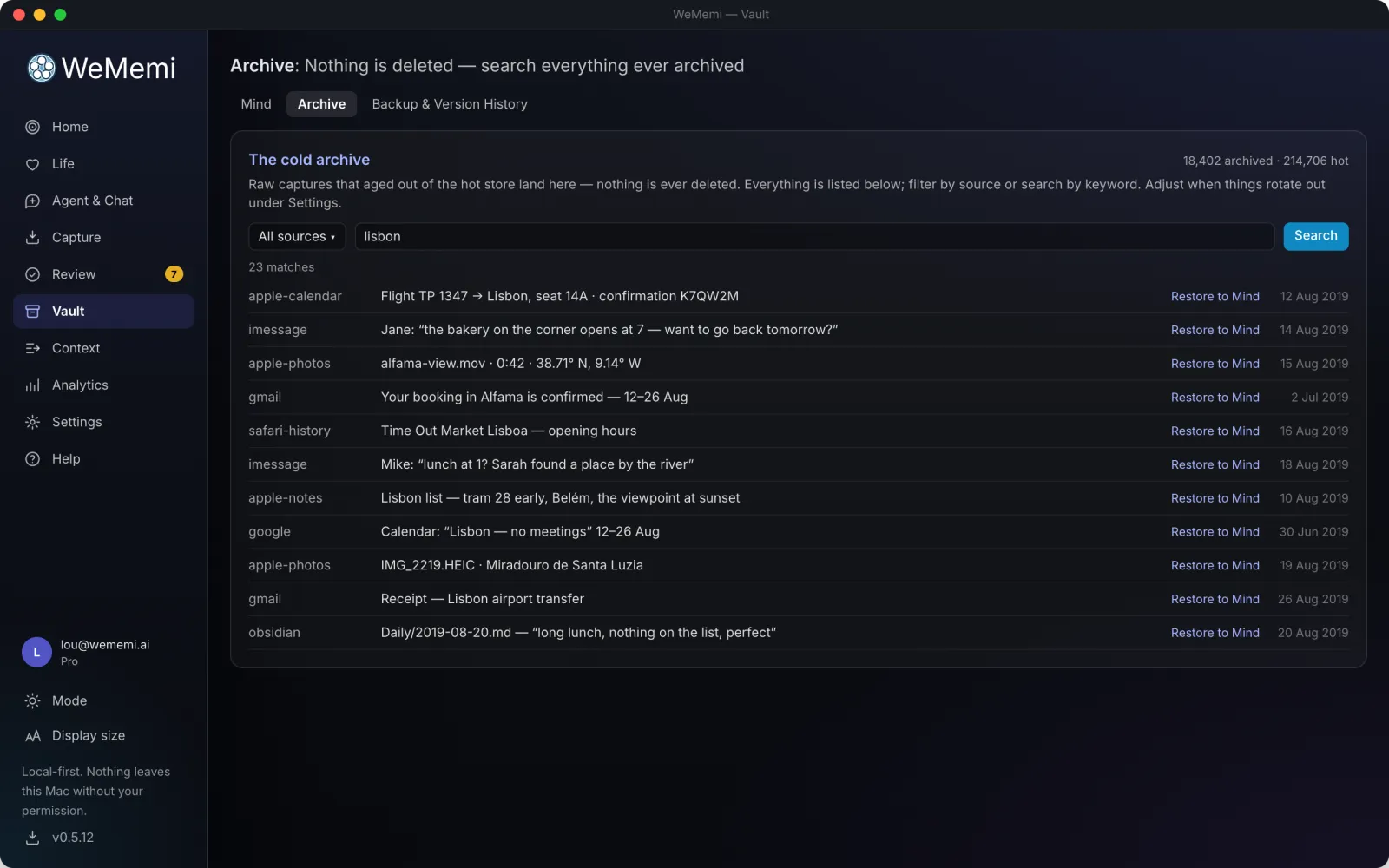
And nothing is ever thrown away. Anything WeMemi retires drops into your Archive, always one click from coming back.

Vault

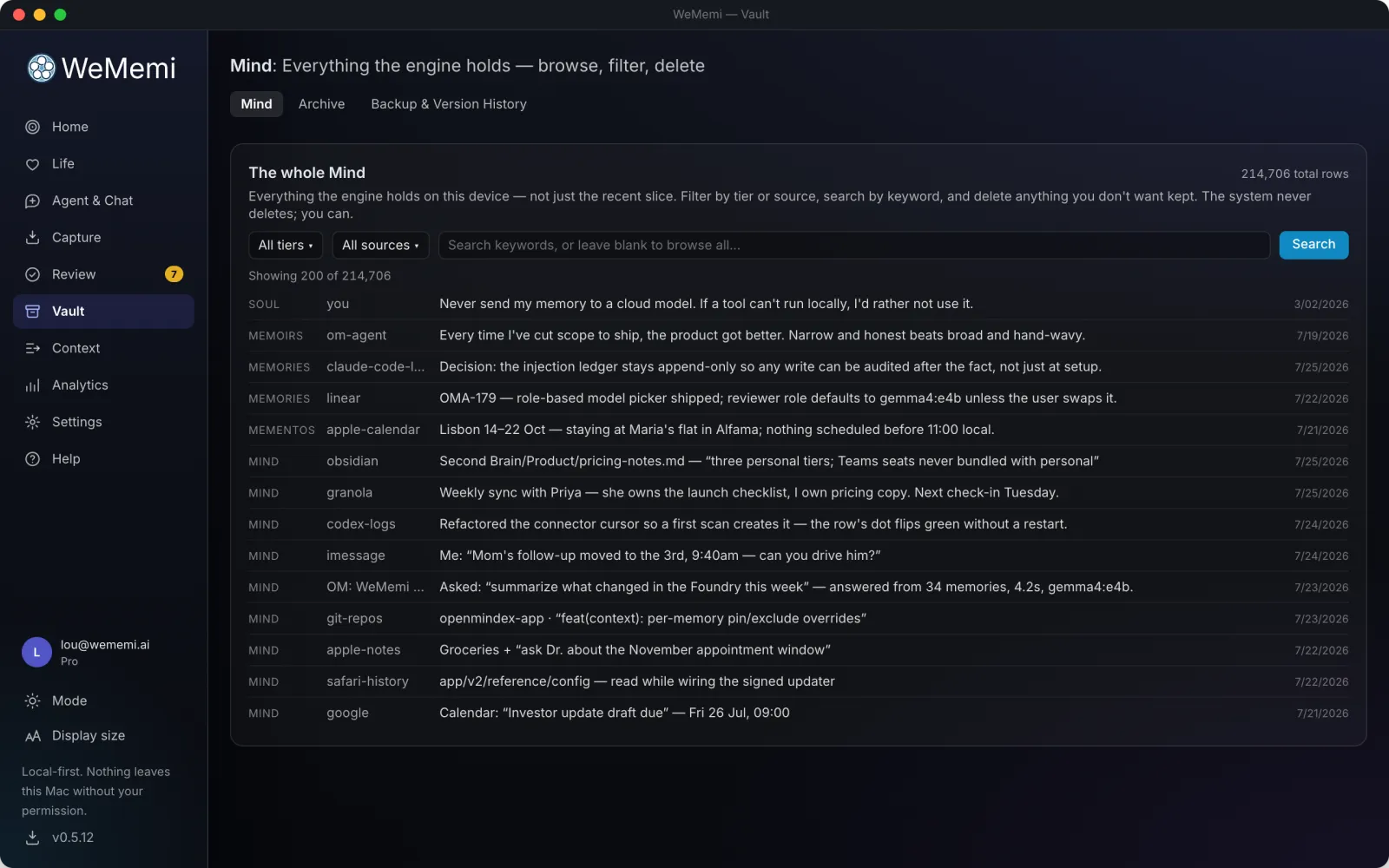
Browse any of it, and change anything

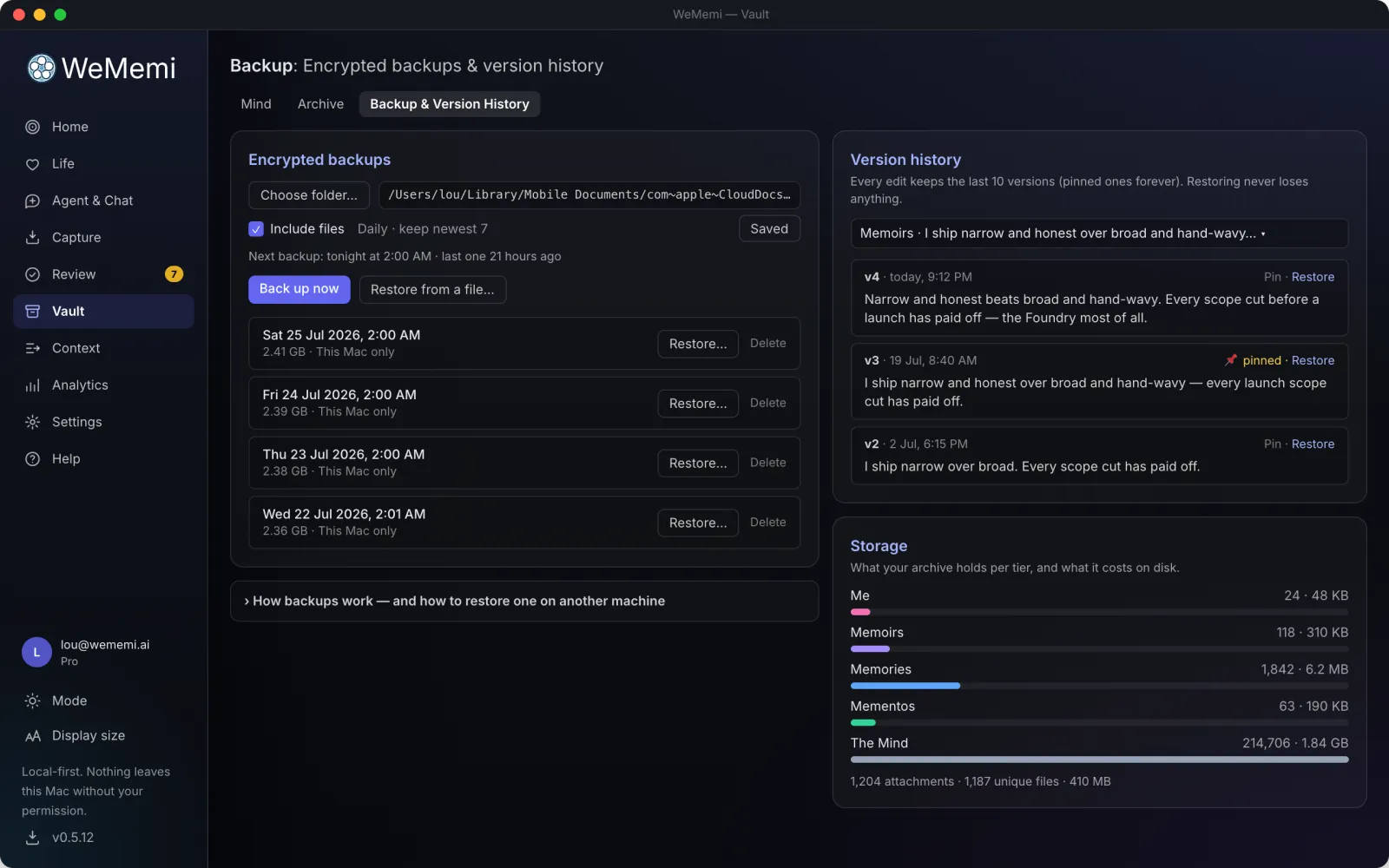
All five levels live in one searchable place in the app. Search by words or by meaning, edit anything in place, and roll back to any recent version.

  • checkFull-text and meaning-based search
  • checkInline editing, with version history on every memory
  • checkRetired items wait in the Archive, one click from coming back
wallpaperScreenshot goes herefeatures/vault.webp
The Vault archive
Archive
Vault backups
Backup

How your memory gets built

You're never stuck typing it all in. Memories arrive five ways, and you approve anything that matters before it sticks.

edit_note

You add them

Type or pin anything straight into your memory, right in the Vault.

record_voice_over

It asks you

Interview mode poses one question at a time, and files your answer for you.

lightbulb

It suggests them

As it watches what you do, it proposes new memories for you to approve.

hub

Your apps fill it

Connect your accounts and exports, and your real history flows in on its own.

bedtime Pro

It distills overnight

While you sleep, its dreaming pass turns raw sessions into lasting insight.

ContextPro

Decide exactly what each AI is allowed to see

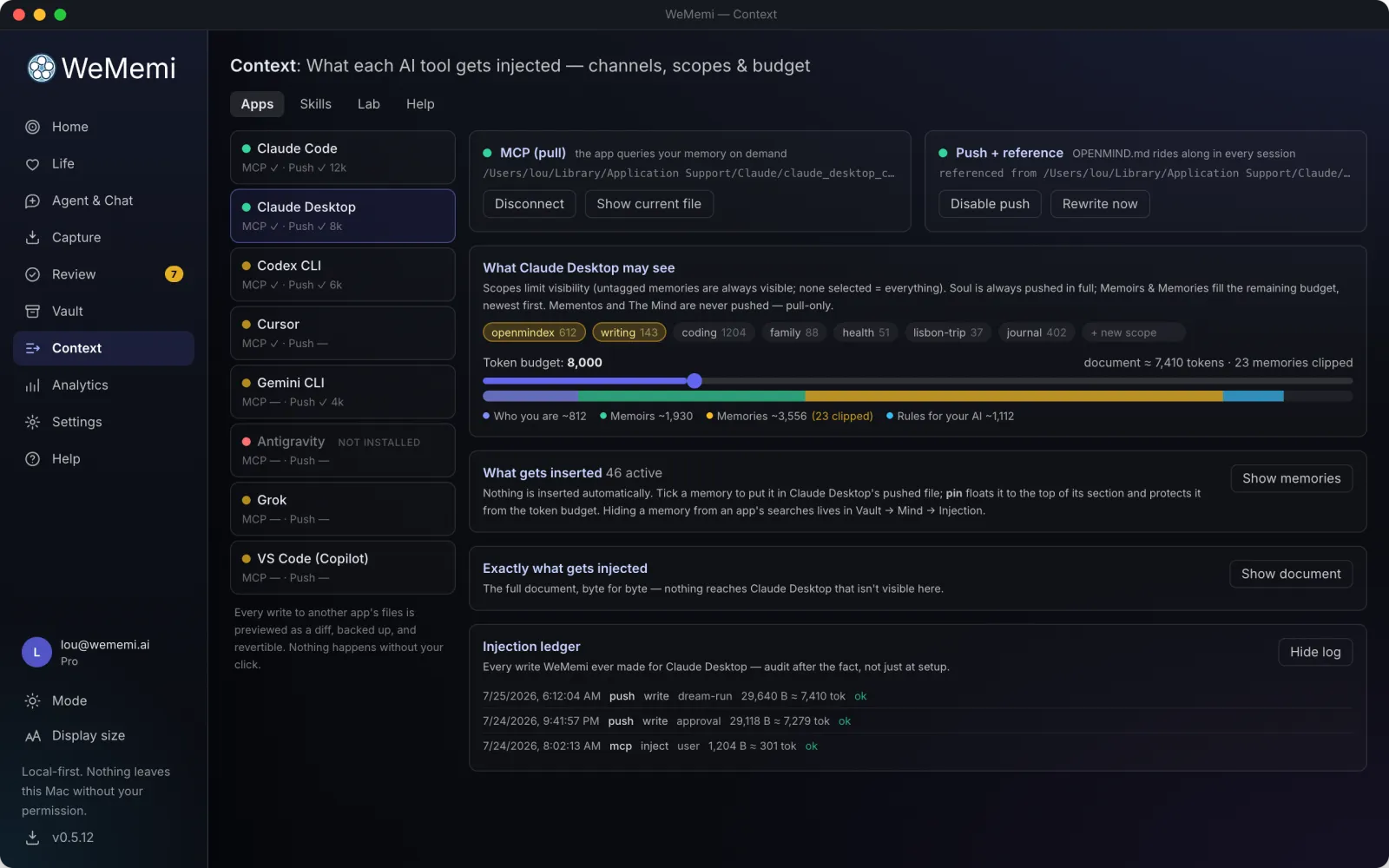
This is the control room. Nothing reaches any AI tool until you switch it on, and then each tool gets only the slice of memory you've granted it. Your coding assistant never sees your journal.

Under the hood, it wires your memory straight into the tools you already work in. A local connection, the open Model Context Protocol, lets apps like Claude Desktop, Claude Code, and Cursor pull the context they're allowed to in real time, and for tools that read files instead, it writes ready-made context that drops into place. Your saved context simply shows up inside Claude Desktop, Claude Code, Codex, Cursor, VS Code, Gemini CLI, Grok and Antigravity, with no copy-paste, no re-explaining.

Two ways in, per tool. MCP lets apps like Claude Desktop, Claude Code and Cursor query your archive live; Push writes a small context file for tools that read files instead. Either way you see the exact change to that tool's settings before it's made, it's backed up, and it's reversible. And each row tells you when that tool last actually used your memory, because a config file we wrote only proves we wrote it. If a tool updated itself and moved the file out from under us, the row says so and offers Reconnect.

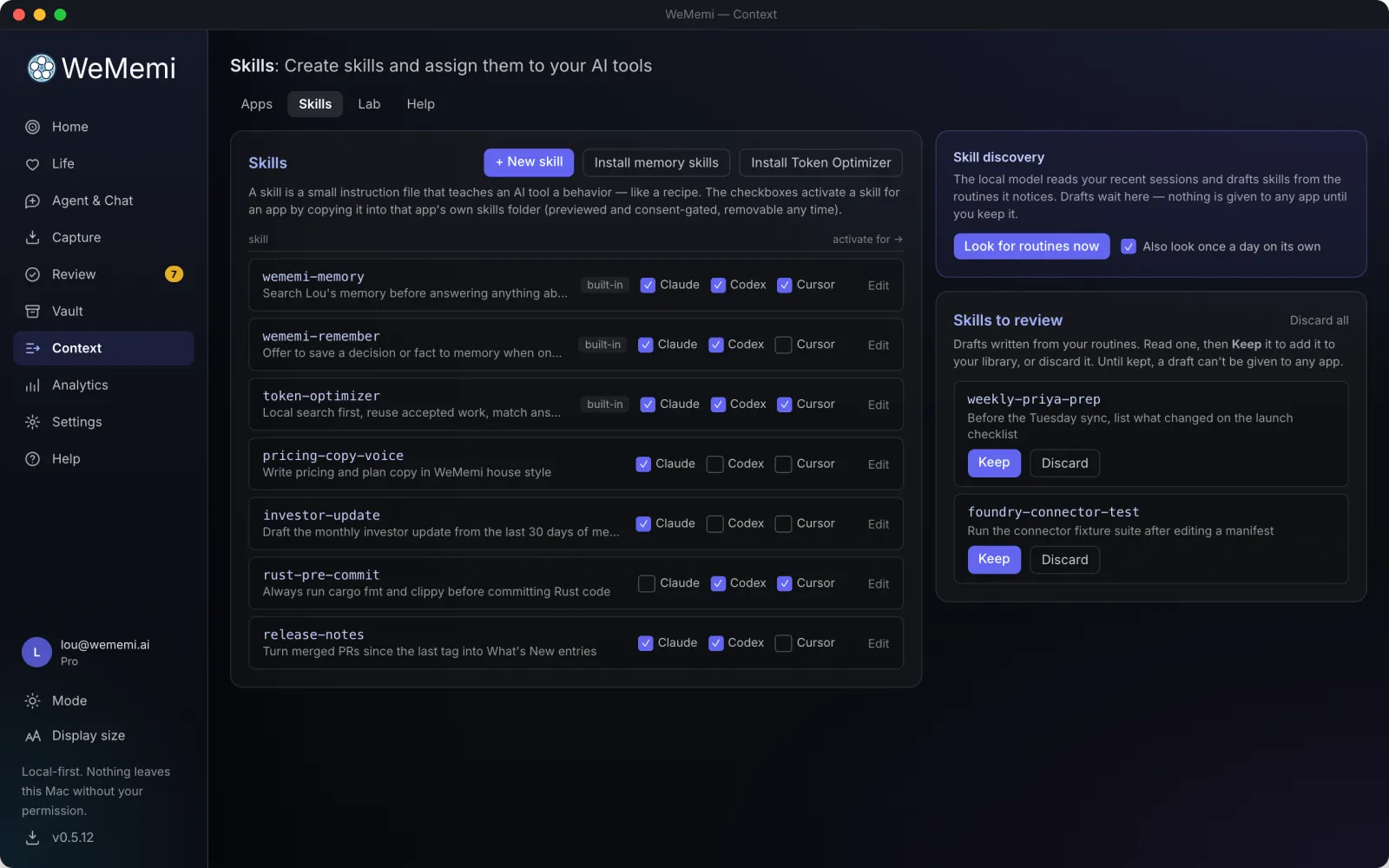
This is also home to Skills: reusable instruction files you assign per app. Install the built-in ones, or write your own from plain English with Draft with AI. Tick a checkbox to deploy a skill to an app and it's just there next session, no re-explaining your conventions. Try the built-in Token Optimizer: a standing set of habits (search before reading whole files, reuse what's already accepted, load tools only when needed) that cuts what a session spends without changing what it gets done.

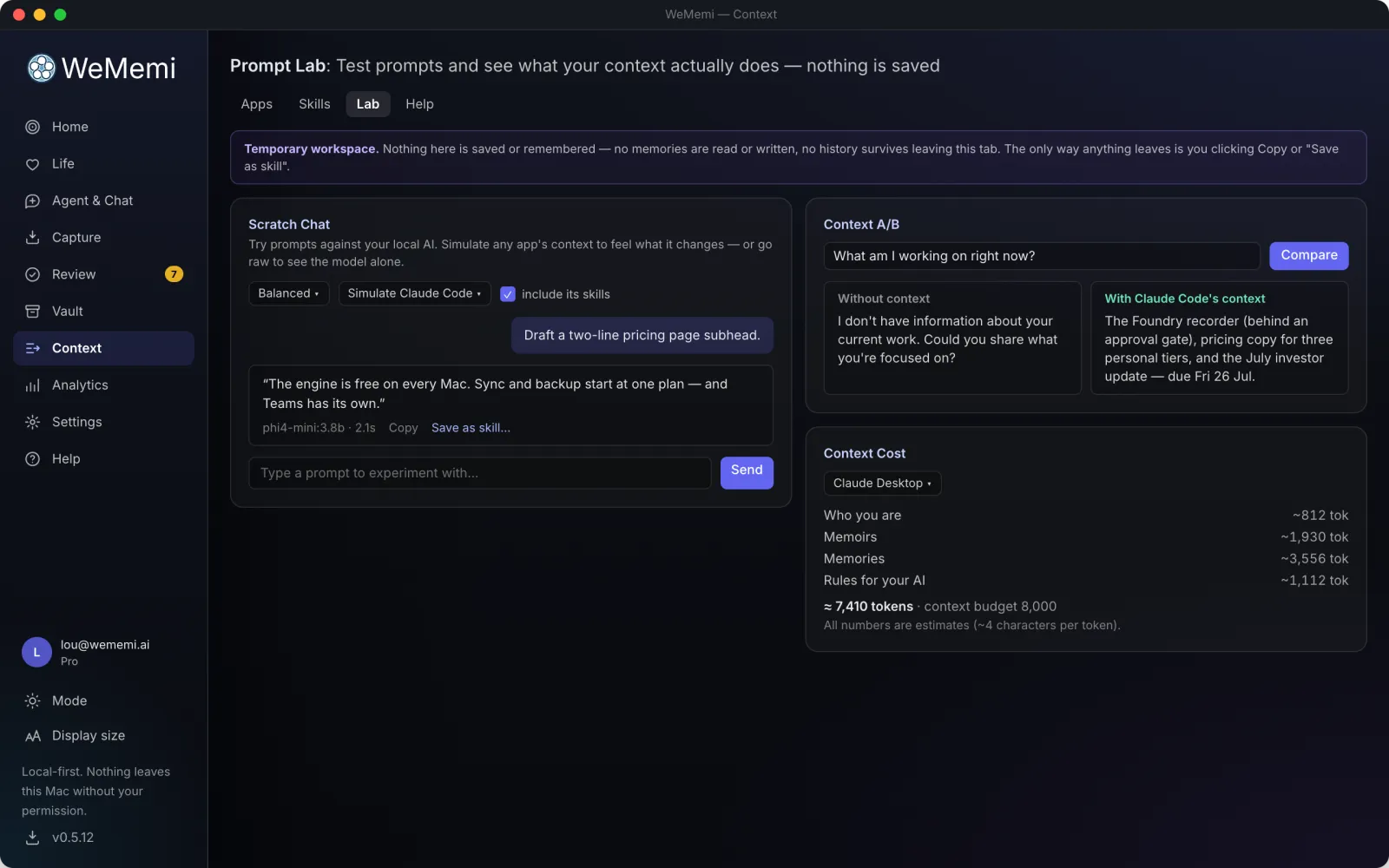
And there's a workbench for testing it all, risk-free: the Lab. Chat with an app's exact context and skills applied, with nothing saved and nothing remembered. Compare a prompt with and without an app's context side by side. Or X-ray the standing prompt itself, layer by layer, to see exactly what's spending your tokens.

  • checkOff by default: silence until you choose otherwise
  • checkPer-app profiles with a live "what fits" budget
  • checkPin or hide any single memory for any single app
  • checkNothing gets in without a pass of its own: each tool's access is separate and revoked on the spot when you disconnect it
  • checkProof it's working: each tool shows when it last actually read your memory, not just that we wrote its config
  • checkA running ledger of exactly what was shared, and when
  • checkA library of Skills, activated per app: write your own or install ours
  • checkToken Optimizer: one click teaches any coding agent to spend less per session
  • checkLab: scratch chat, before/after context comparisons, and a token X-ray, all ephemeral
wallpaperScreenshot goes herefeatures/context.webp
Context Skills
Skills
The Context Lab
Lab
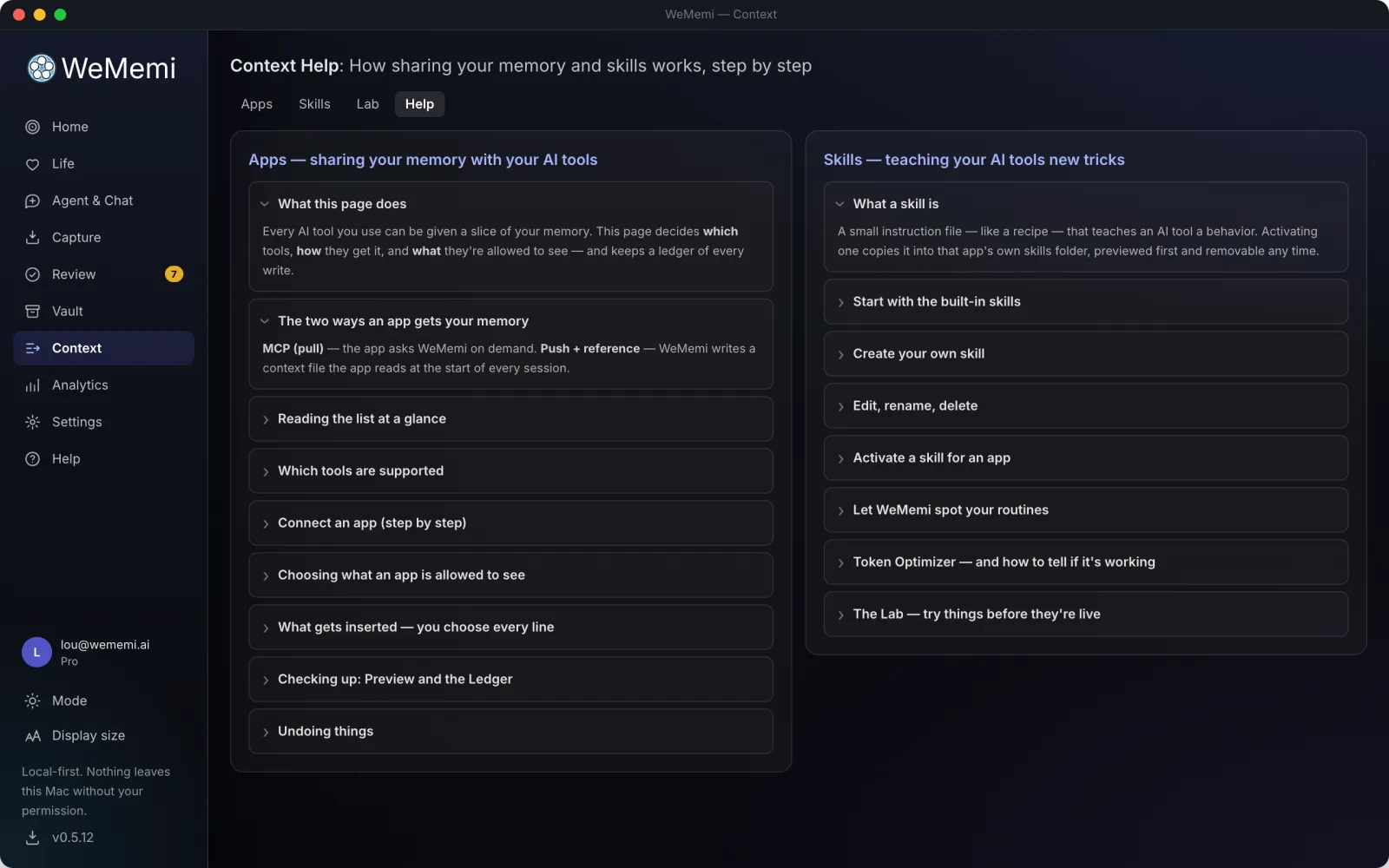
Context help
Help

Settings → ModelsFree

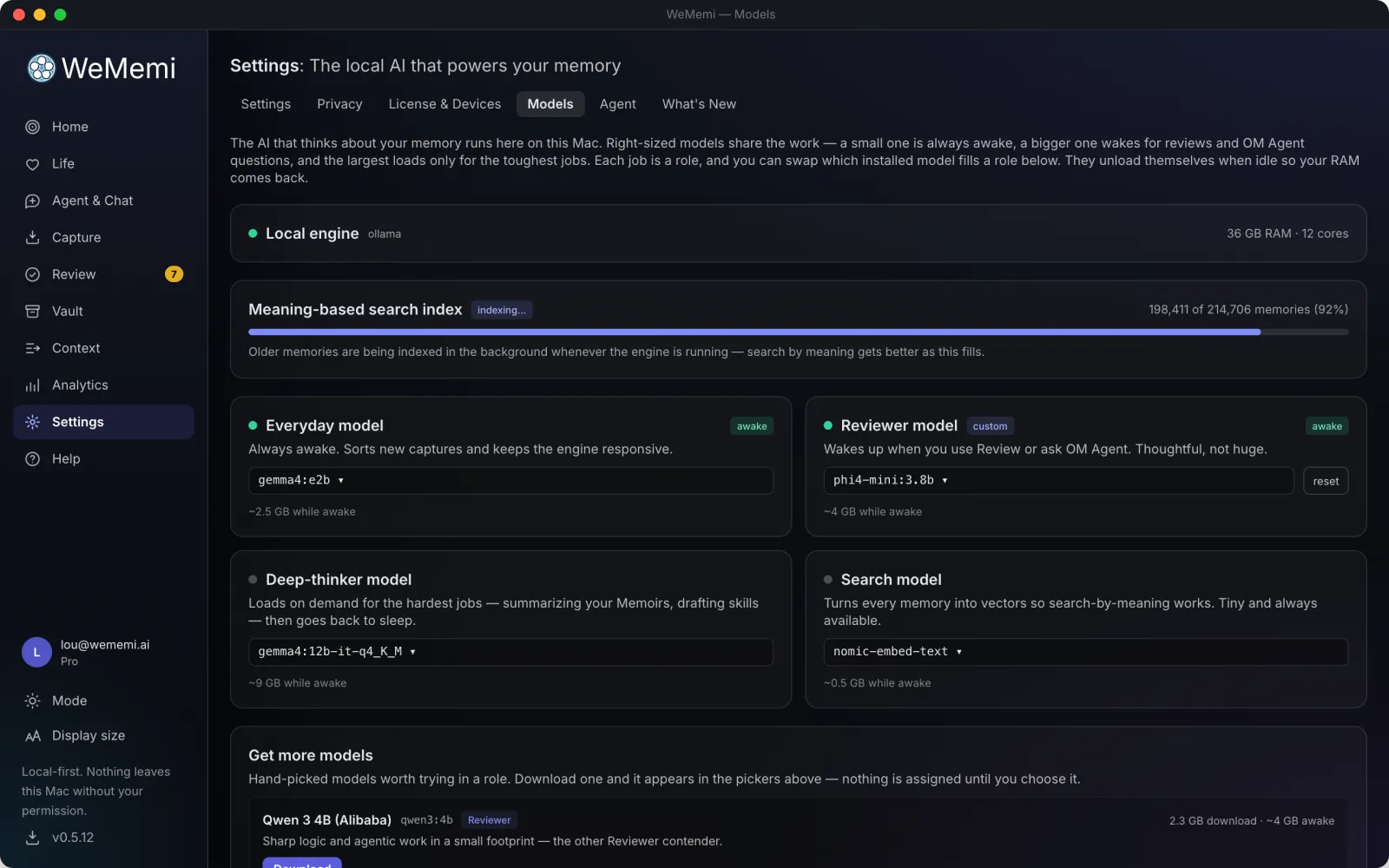
The AI that reads your memory runs on your machine

Not one model doing everything badly. Four right-sized ones share the work, and each has a job you can read in plain English:

  • checkEveryday: always awake, tiny, sorting new captures as they arrive.
  • checkReviewer: wakes when you open Review or ask a question. Thoughtful, not huge.
  • checkDeep-thinker: loads on demand for the hardest jobs, then goes back to sleep.
  • checkSearch: turns every memory into something you can search by meaning, not just by keyword.

Swap any of them from a curated catalog, or reset to the default. They load when needed and unload when idle, so your RAM comes back, and a green dot tells you what's actually resident right now. First run downloads only what you need to start, not the whole shelf, and anything WeMemi installed can be removed to reclaim disk and re-downloaded later.

How much you get is sized to your computer, honestly. A machine that can't run a model doesn't get a spinner and a failure; the model stays visible with its download disabled and a plain reason why.

And you never have to take our word for the speed. Measure runs a fixed 30-second test on your hardware and shows the real tokens-per-second and memory it used, kept per engine version, so when we ship an engine update you can see for yourself whether it got faster.

  • checkThe actual models are named, not hidden behind a brand: Gemma, Phi, Qwen and friends
  • checkMeasured speed and memory from your own machine, not our benchmark rig
  • checkThe full engine is included free: nothing to install separately, no API key, no per-token bill
  • checkNone of these jobs can be pointed at a cloud model, deliberately. Outside models live only in Chat, and see only what you hand them
wallpaperScreenshot goes herefeatures/models.webp
shield_lock

Life and Mind together

Everywhere, and always yours

On your phone, under the hood, and the privacy that holds it all together.

On your phoneiPhone and Android

Your life, in your pocket

WeMemi is on its way to iPhone and Android. It isn't a remote control for your computer: the phone keeps its own encrypted archive, works on its own, and stays in step with your Mac or PC when you want it to.

  • checkLife and moments: walk your timeline, play a moment's photos, video and voice notes, and add to it on the spot.
  • checkSave from any app: share a photo, link or note to WeMemi from the share sheet, and add it to Life with a tap.
  • checkWhat's already on the phone: photos, calendar and contacts come in with your permission, one at a time.
  • checkAsk on the go: questions about your archive are answered by a small AI that runs on the phone itself, so your memories never leave it to be read.
  • checkShare with the people who were there: answer invites and add to shared moments from wherever you are.
  • checkIn step with your computer: sync at home or away, sealed with keys only your devices hold. Included with paid plans.
  • checkLocked down: Face ID or fingerprint to open it, and an encrypted archive on the phone itself.
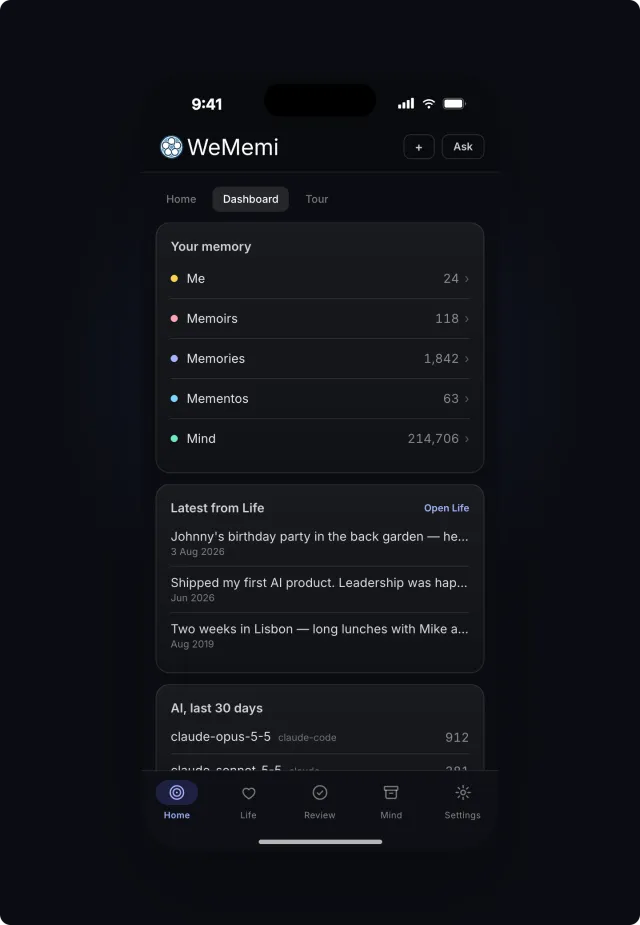
The WeMemi Dashboard on an iPhone
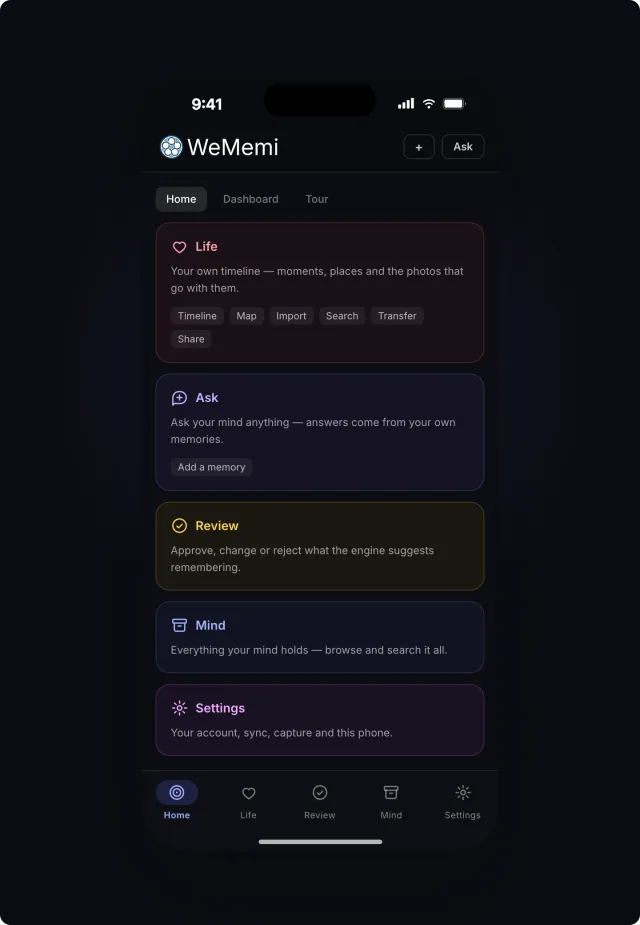
The WeMemi Home tab on an iPhone: Life, Ask, Review, Mind and Settings
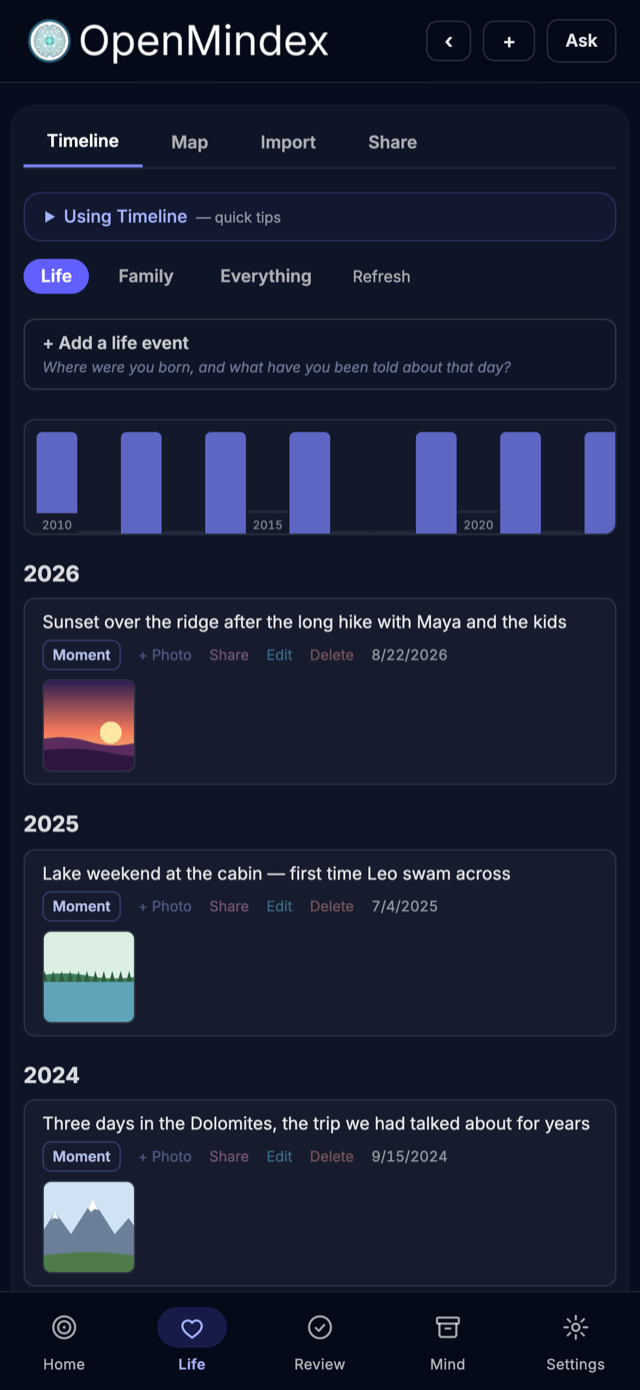
The WeMemi Life timeline on an iPhone

Under the hood

Nothing hidden, nothing without your yes

The quiet parts that keep it honest: what waits for your approval, what's being taken in, what runs by itself, and what your own habits look like.

ReviewFree

Nothing important happens without your yes

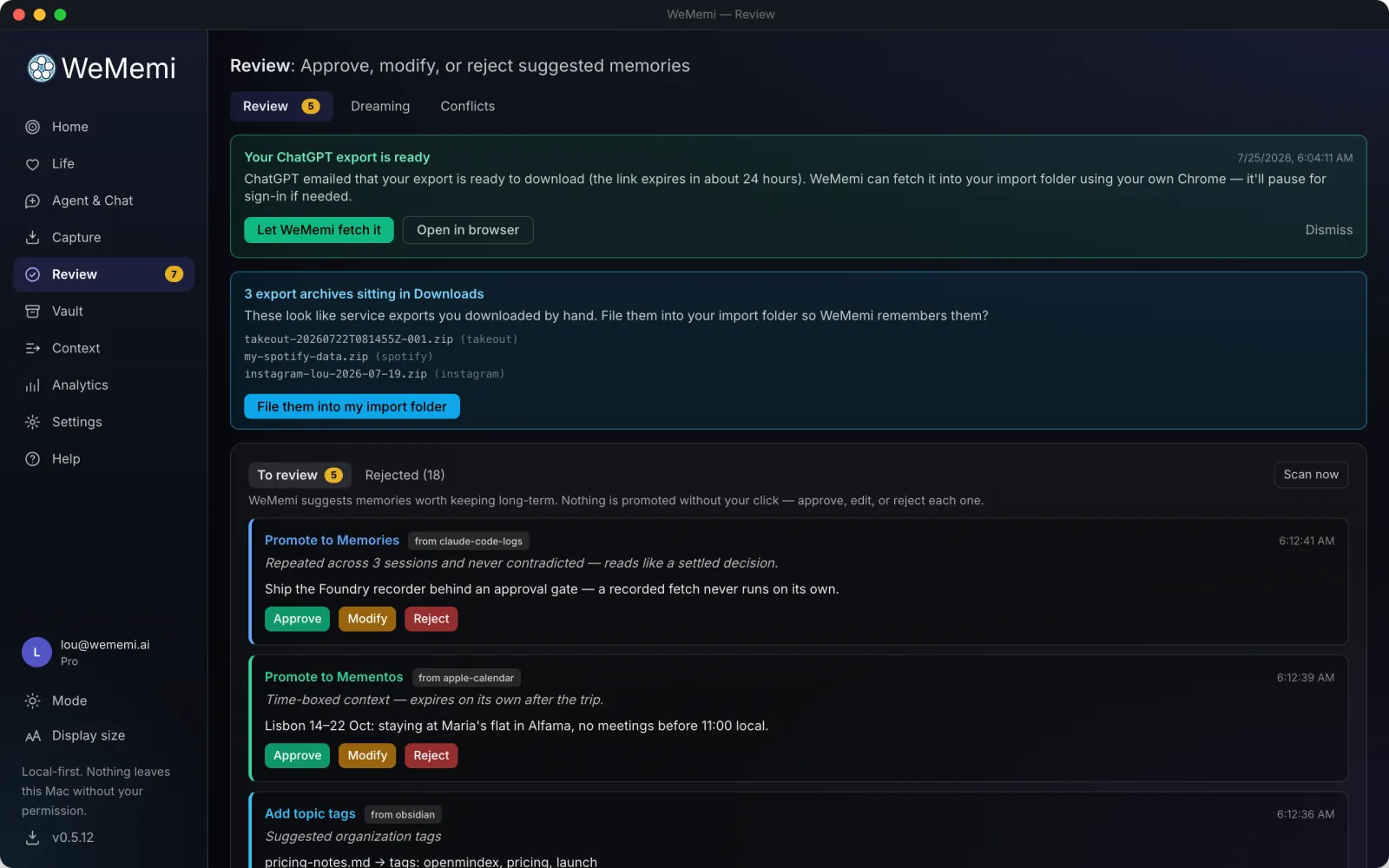
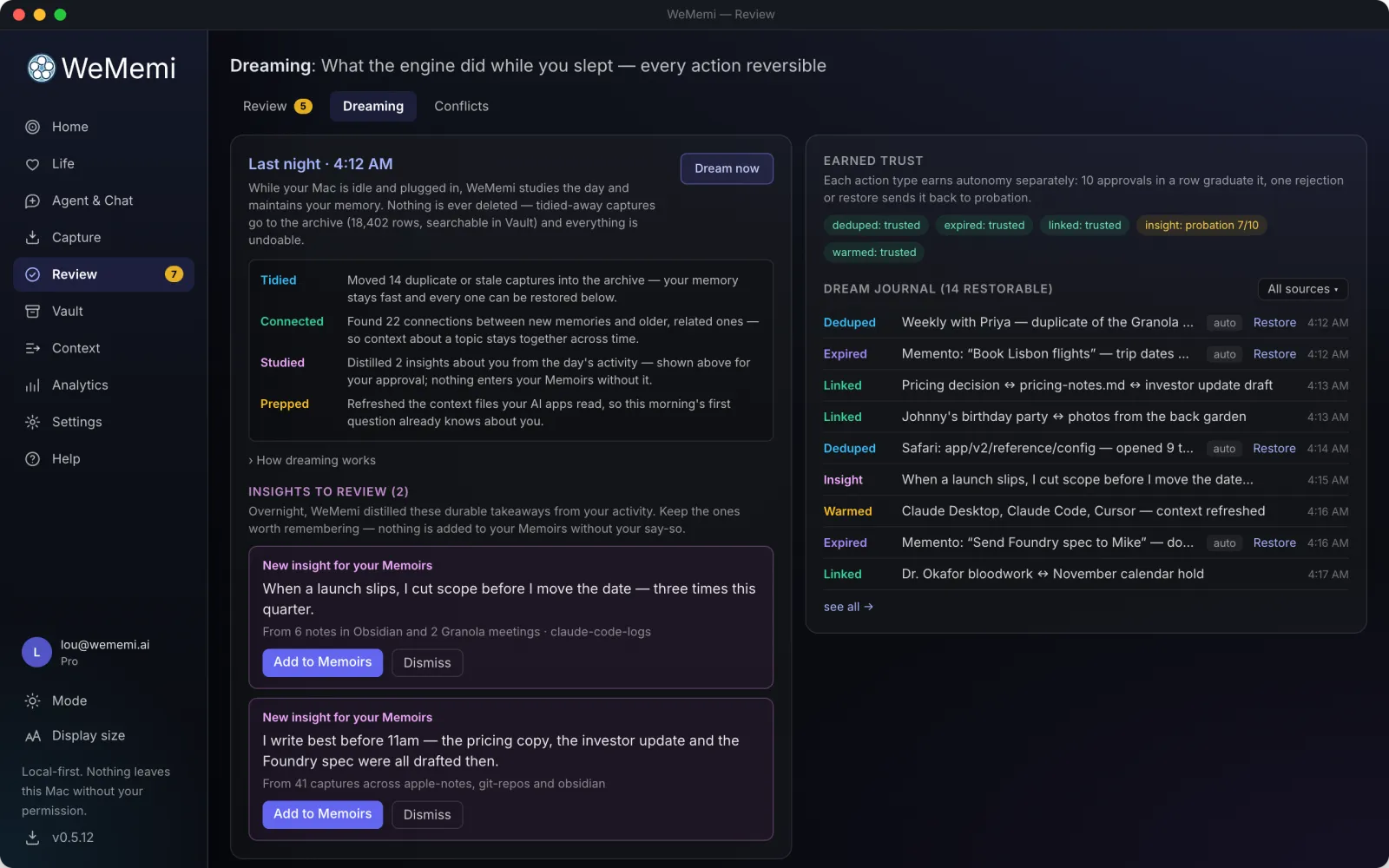
New facts worth keeping, what it tidied up overnight (its nightly dreaming pass), and requests like "your export is ready" land in one queue. Approve, tweak or reject, and it learns which calls it can stop asking about.

  • checkApprove, modify or reject each proposed memory
  • checkSee what it did while dreaming, every change undoable Pro
  • checkThe most sensitive actions always ask, by design
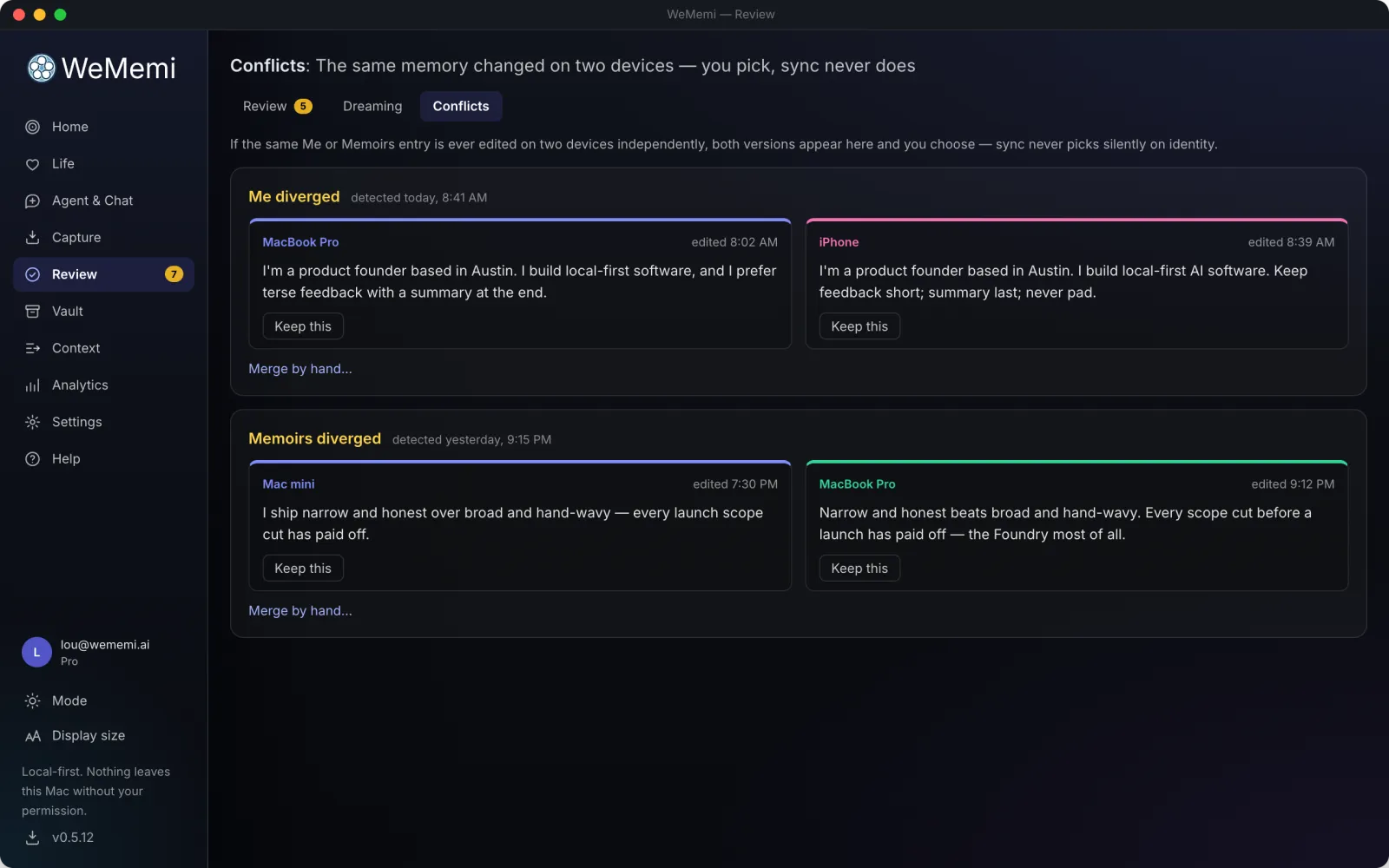
  • checkChanged on two devices at once? See both versions and pick Pro

CaptureFree

See what's being remembered, as it happens

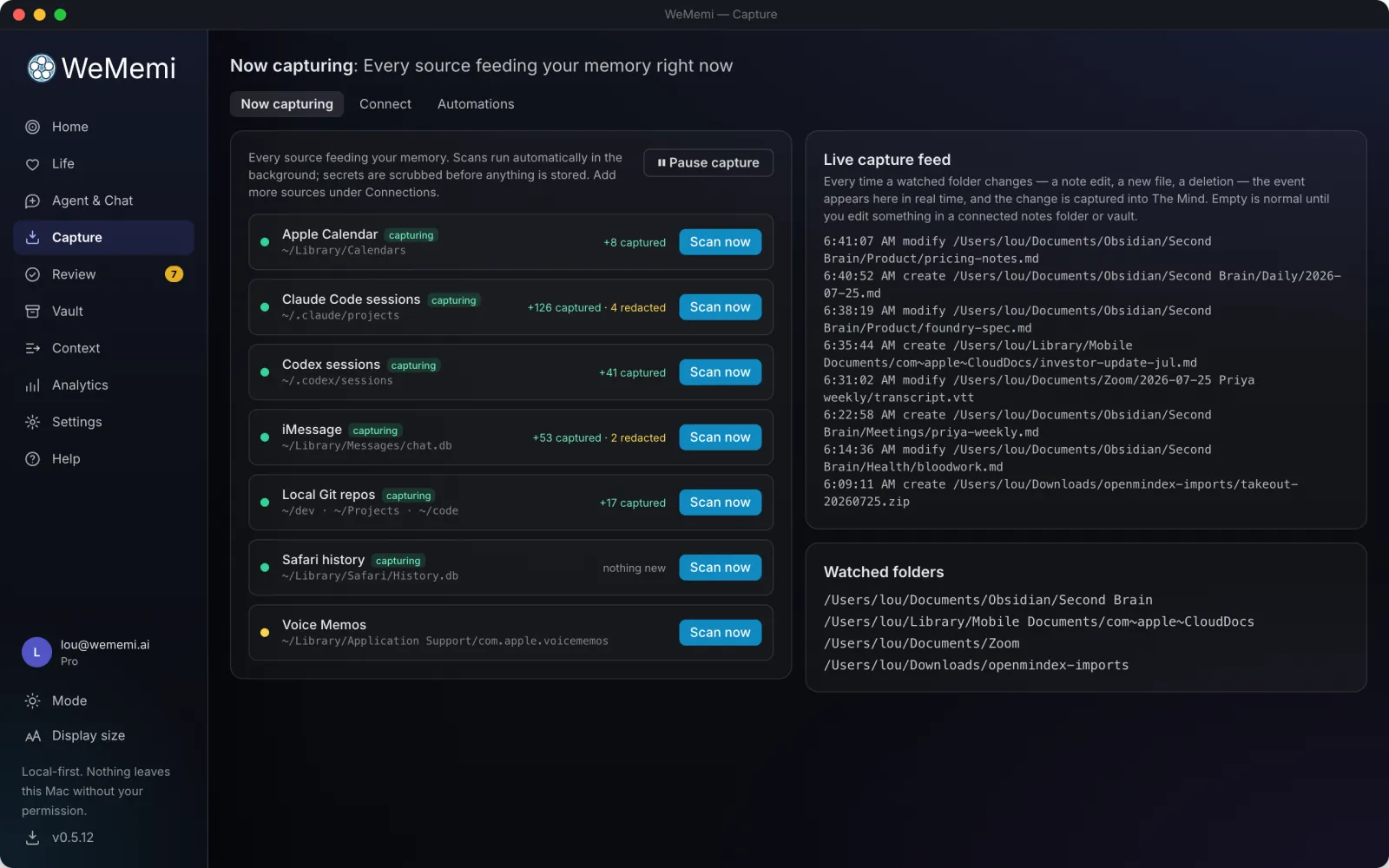
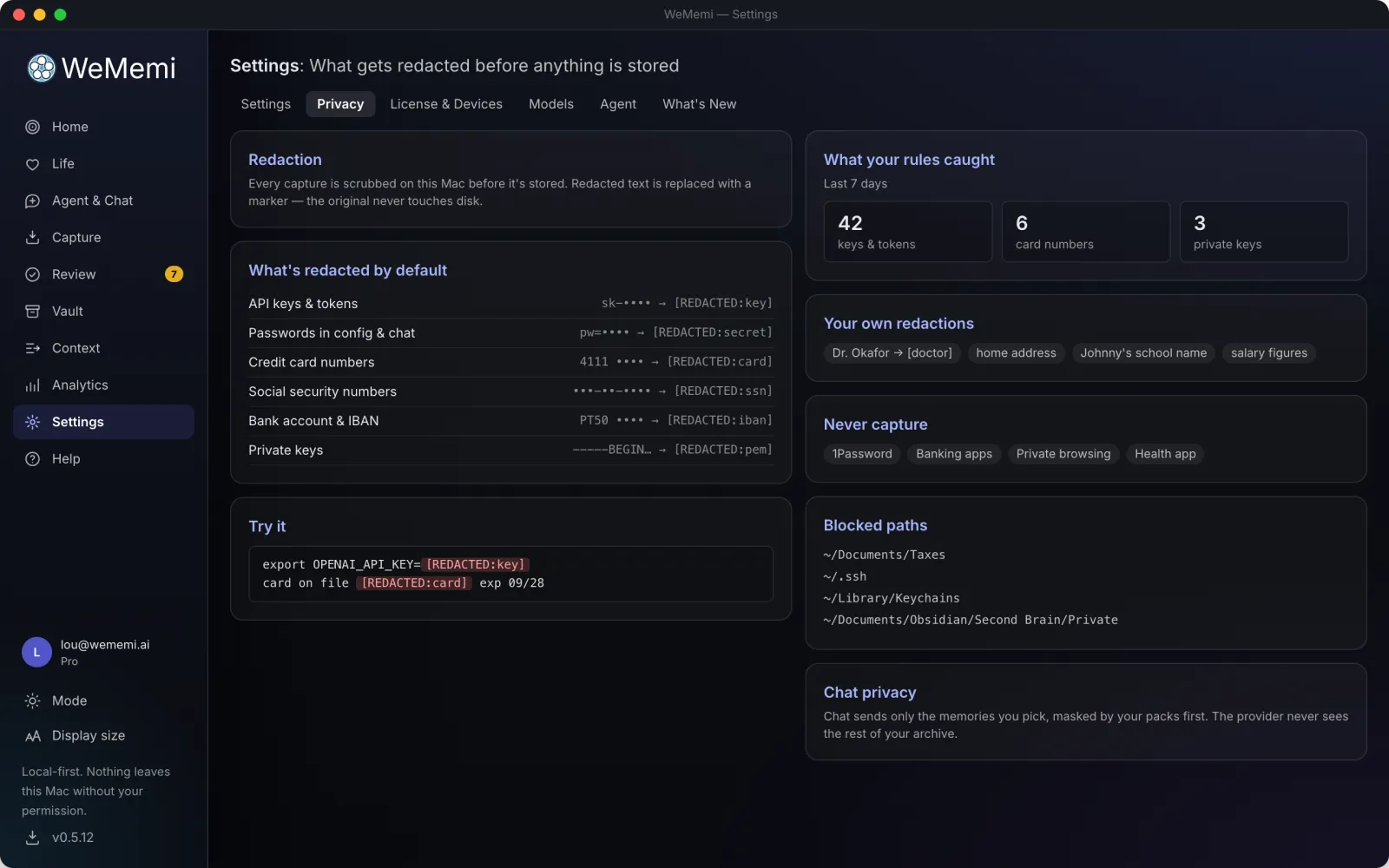
A live window into what WeMemi is taking in and where it's coming from. Secrets and sensitive patterns are scrubbed out before anything is stored.

  • checkA real-time view of every source
  • checkPasswords and sensitive details stripped before saving, by rules you set
  • checkEvery removal is logged, so you can see what was caught
  • checkPause or adjust any source, anytime

AutomationsFree

Everything that runs by itself, in one place

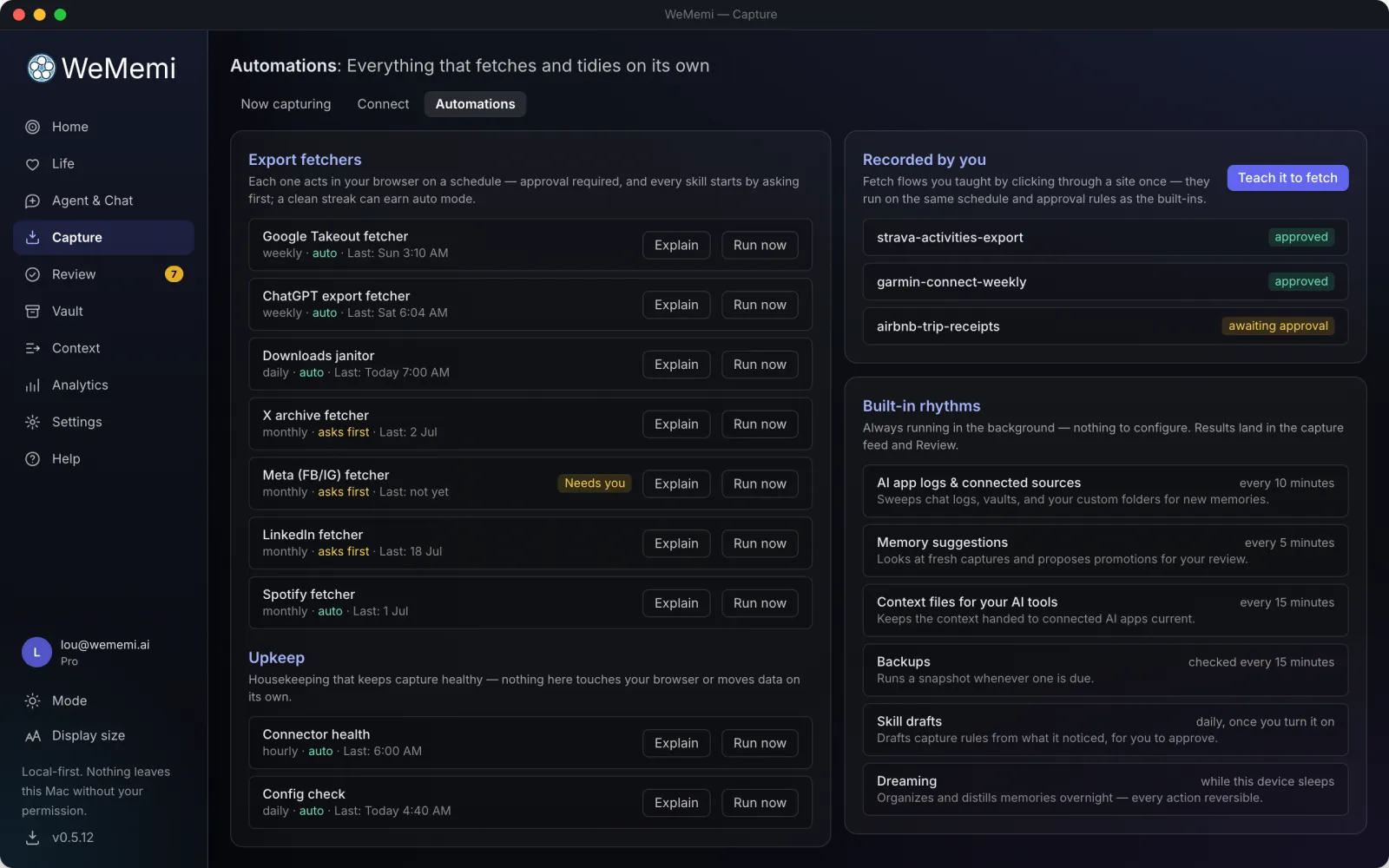
Software that does things on its own should say so. One tab names all of it, and results still land in Review before they become memory.

  • checkFetchers that collect a ready export in your own browser, pausing for you to sign in
  • checkDownloads you taught the Foundry, as jobs you can approve, pause or remove
  • checkThe app's own timers, spelled out: source scans, suggestions, backups, dreaming
The WeMemi Automations tab

AnalyticsFree

Understand how you actually use AI

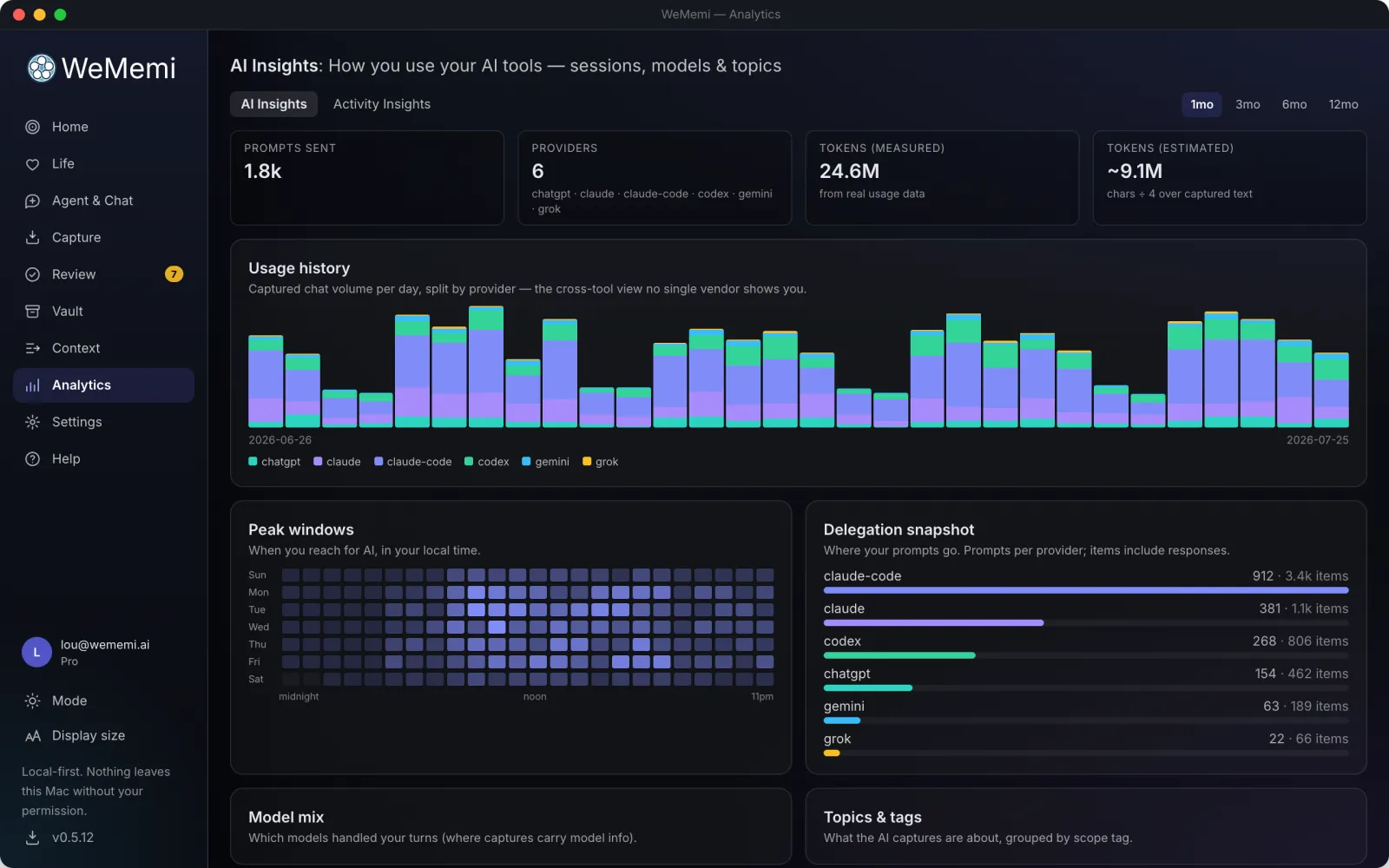
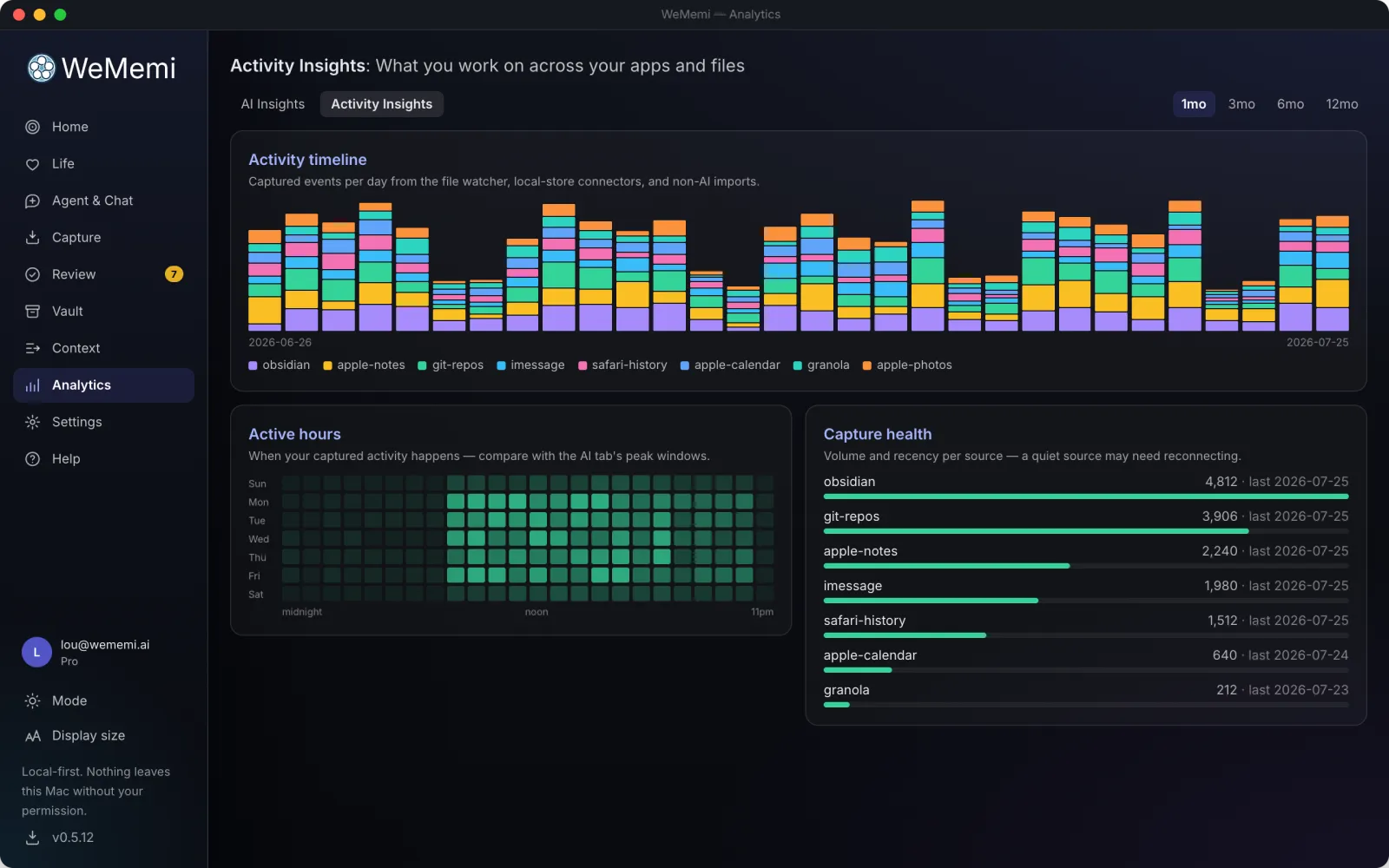
Your archive turned back on itself, entirely on your machine: how you use AI across every tool, and how your attention moves over time.

  • checkAI Insights: tokens, models, topics and peak hours across every tool
  • checkActivity Insights: your digital footprint over time
  • checkWhat you keep re-explaining, and what Token Optimizer saved per app
What it did while dreaming
Review: dreaming
Choosing between two versions
Review: conflicts
Activity Insights
Analytics: activity

And more

Privacy, sharing and a few more things worth knowing

The essentials that run quietly underneath everything above.

shield Free

You decide what leaves your machine

Give every memory a door: sealed and never read, even by your own AI, and never leaving this machine; private to you; or shared to your other devices and the people you choose.

encrypted Free

Encrypted where it sits

Your memory is encrypted on your own disk, with a key only your computer holds. Locking your computer protects a stolen laptop; this goes further: anything else running on your machine just sees gibberish if it goes looking. A recovery code you keep means you're never locked out.

devices Pro

Across your devices, wherever they are

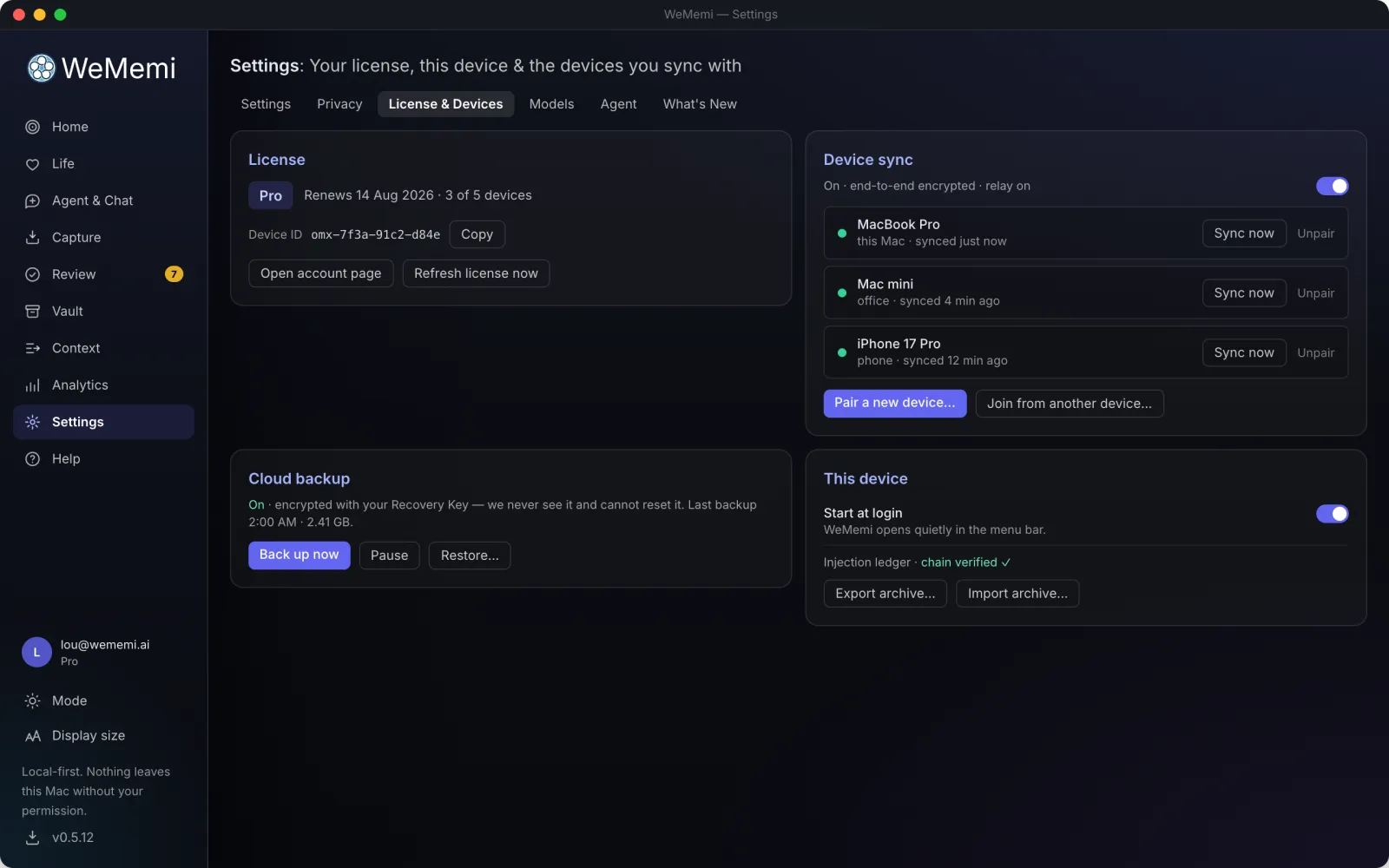
Pair your machines and they sync straight to each other, encrypted and signed, with no cloud drive holding your data. When two devices can’t reach each other directly, an encrypted relay we run passes the traffic through without ever being able to read it, and each device row tells you which it’s using: direct or via relay. Prefer to stay on your own network only? One switch. Plus encrypted local backups, a single portable file to move everything, and optional zero-knowledge cloud backup Ultra

group Pro

Share a moment with the people who were there

Pick a life event, pick the people, and it lands on their timeline, with a thread underneath where everyone adds their own photos, words and reactions. What travels is viewing quality: photos at 1600 pixels, video at 720p, never your originals, which stay exactly where they are. It goes device to device, sealed with keys only your machines hold; when someone’s offline, another person on the moment, or your own always-on computer, serves it for you. Receiving and contributing are free forever, on any plan.

key Pro

Every AI gets its own key

Each connected tool gets its own pass to your memory, never a shared one. See who has access, revoke any of them individually, and nothing else is disturbed.

lock Free

A lock on the app itself

Turn on an optional PIN or passphrase so WeMemi opens only for you, with a recovery code you keep on paper, never in someone's cloud.

Settings and Help

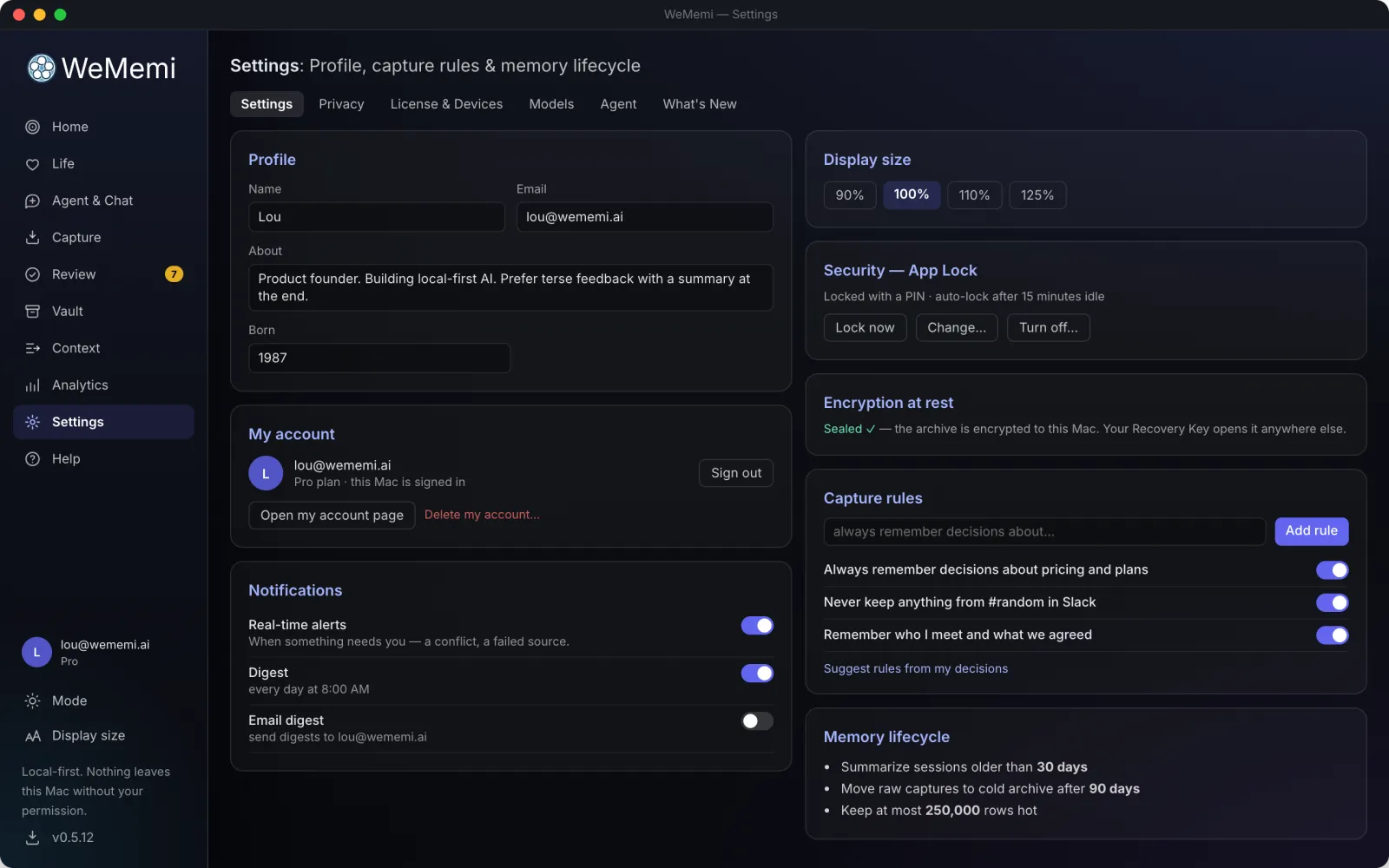
WeMemi Settings
Settings
Privacy settings
Privacy
Agent settings
Agent
License and devices
License & Devices
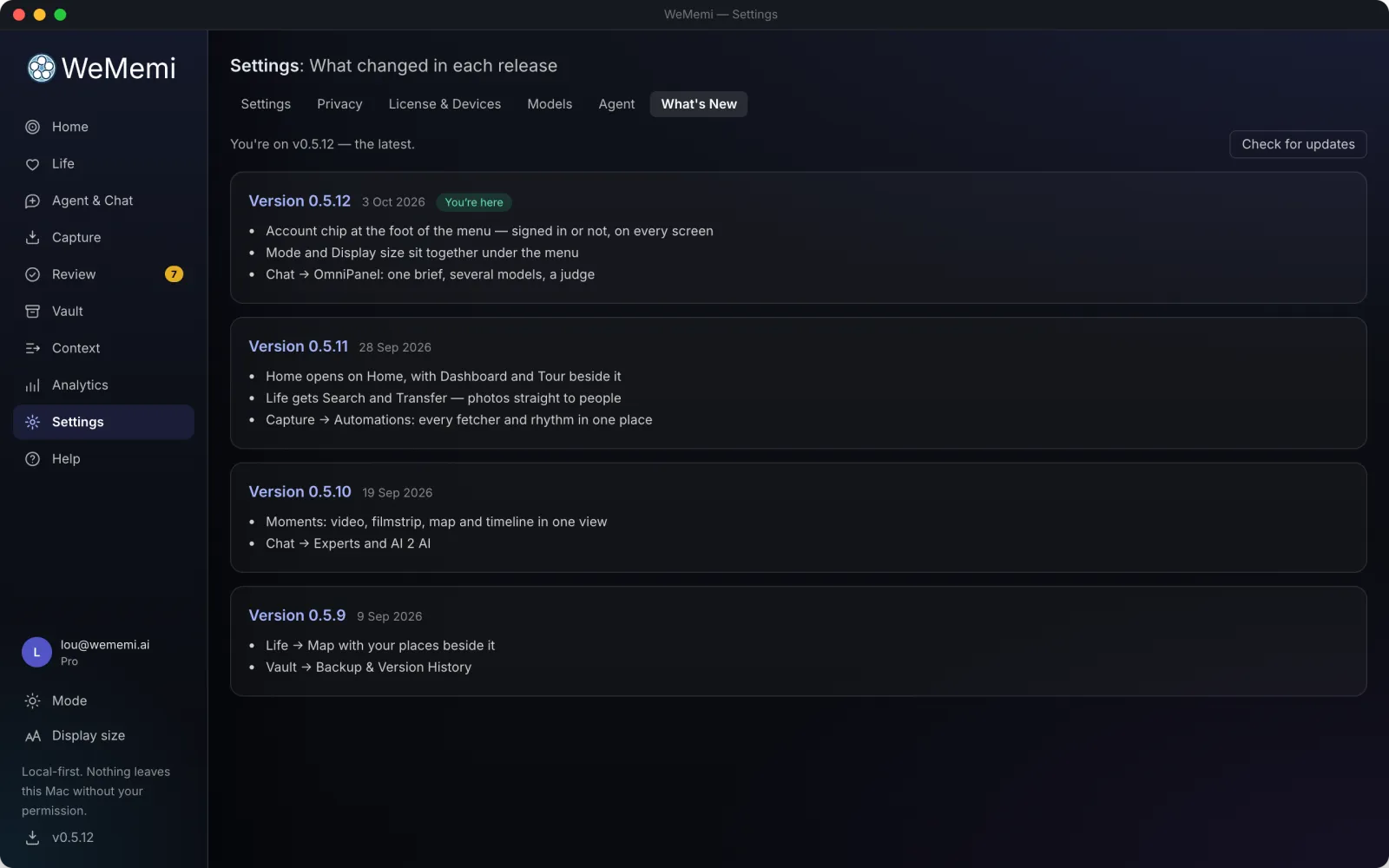
What's New
What's New
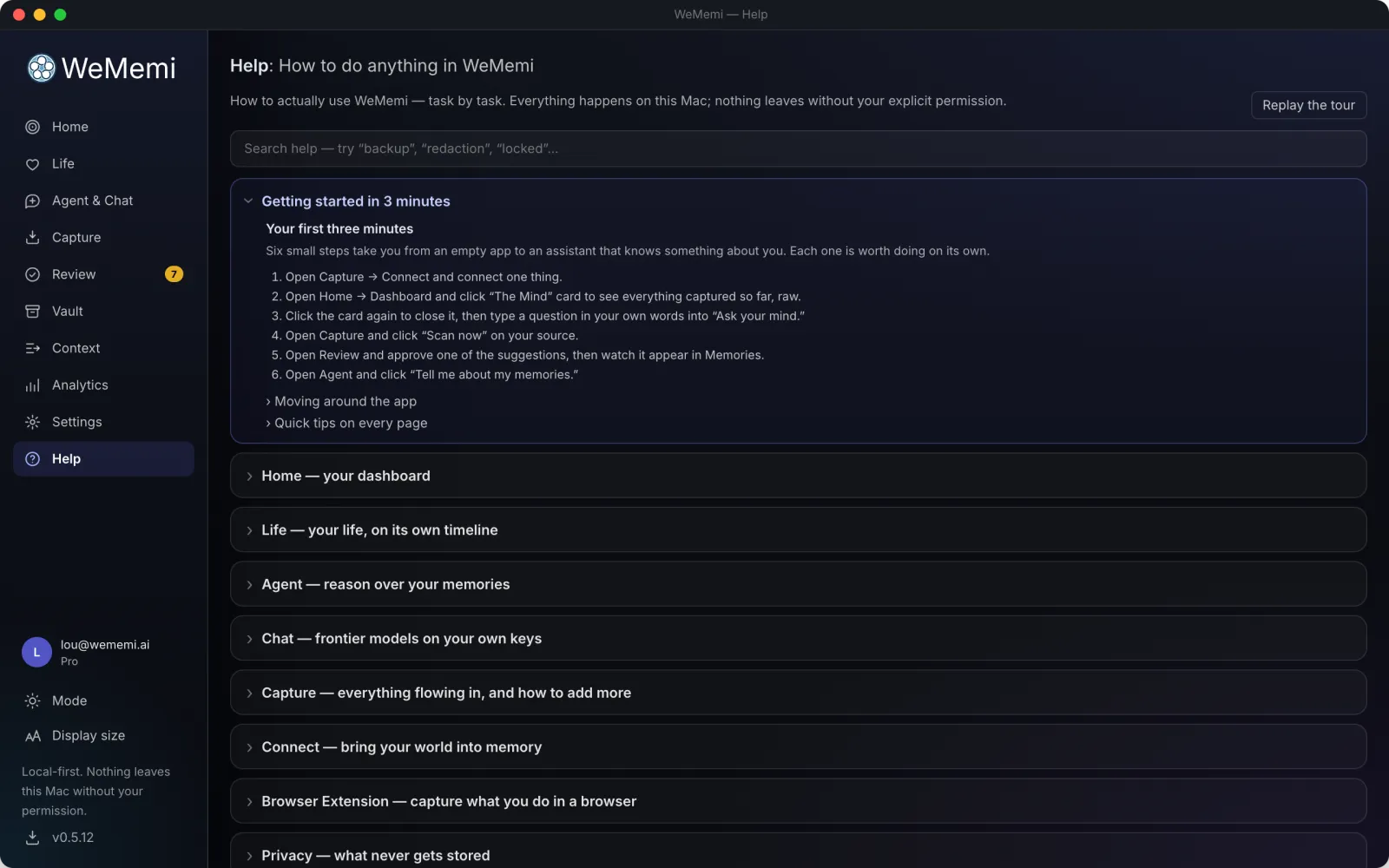
WeMemi Help
Help

Life and Mind, on your own device.

Free on one device. Nothing here leaves your machine unless you send it there.